| Item | Details |
|---|---|
| CMS | WordPress |
| Malware | Fake CAPTCHA |
| Hosting | Bluehost |
| Duration | 1 Day |
| Result | Website Fully Clean & Restored |
| Security Verification | Wordfence, Bluehost ClamAV & Sucuri SiteCheck |
Result: Website fully restored in one day. Fake CAPTCHA malware removed, unauthorized admin deleted, WordPress core repaired, and all security scans passed.
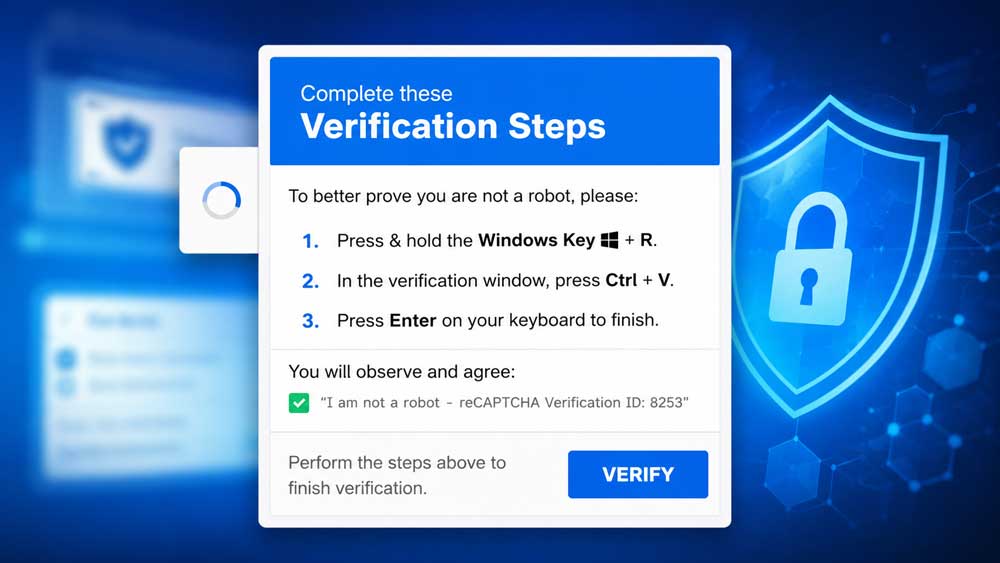
A healthcare organization contacted us after their WordPress website was compromised by a sophisticated malware attack. Visitors were no longer seeing the legitimate website. Instead, they were presented with a Fake CAPTCHA verification page that attempted to trick users into performing malicious actions.
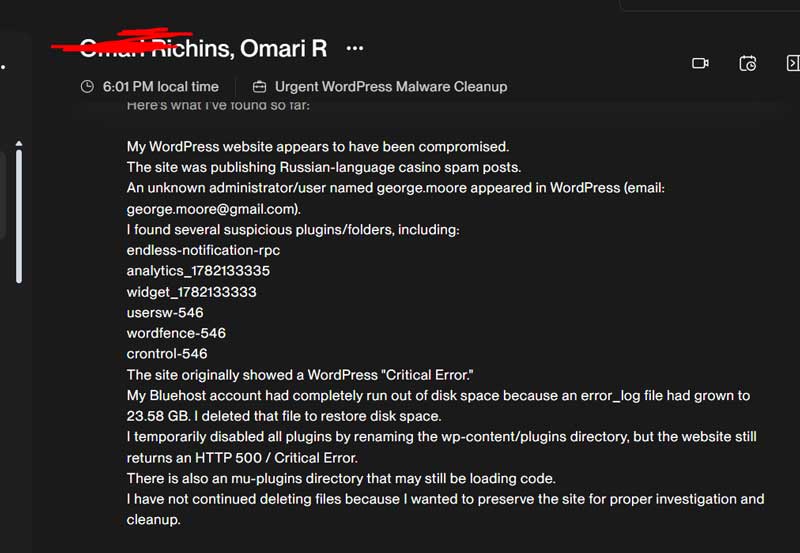
At the same time, the website owner noticed several other suspicious activities, including unauthorized administrator accounts, Russian-language spam posts, unexpected plugins, and repeated WordPress critical errors.
This case study explains how we investigated the compromise, identified the source of the infection, removed the Fake CAPTCHA malware, restored the website, verified the cleanup using multiple security scanners, and implemented long-term security hardening.
When we first received access to the website, several major security issues were already affecting the site.
The client reported:
These symptoms indicated that the website had experienced a serious malware compromise rather than a simple plugin conflict.
The first step was performing a complete security assessment.
Rather than immediately deleting files, we preserved the website for investigation so we could determine how the attacker gained access.
Our investigation included:
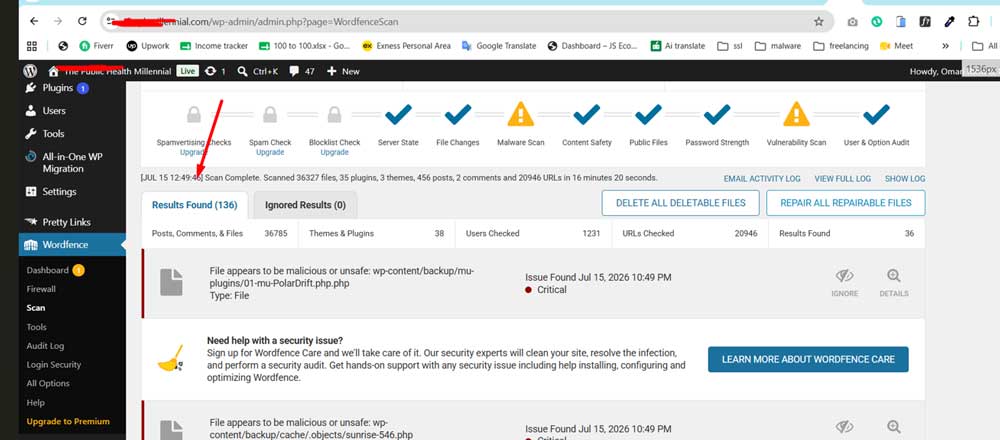
During the investigation, we identified several suspicious components that were clearly unrelated to the legitimate website.
These included hidden plugins and malicious directories that were not part of the original WordPress installation.
One of the most dangerous parts of this compromise was the Fake CAPTCHA malware.
Instead of displaying the real website, visitors were shown a fake verification page designed to imitate legitimate CAPTCHA services.
The purpose of this malware was to trick visitors into downloading malicious files or executing harmful browser commands.
Fake CAPTCHA attacks have become increasingly common because they abuse users’ trust in verification systems while remaining difficult for website owners to detect immediately.
Fortunately, the infection was identified before it caused more damage.
Another major indicator of compromise was the automatic creation of an unknown administrator account.
The administrator account did not belong to the client and had been created outside of the normal WordPress user registration process.
This meant that the attacker had obtained persistent administrative access to the website.
If left in place, the attacker could:
The unauthorized administrator account was completely removed during the cleanup process.
The malware was also publishing unwanted Russian-language casino spam articles.
Spam injections are commonly used to:
All spam posts were identified and permanently removed.
Before making any changes, we created a complete backup of the website and database.
This ensured that the original data could be restored if necessary.
Once backups were secured, the restoration process began.
The malware cleanup involved both automated and manual investigation.
The following tasks were completed:
Each file was carefully reviewed before deletion to avoid removing legitimate website functionality.
During the investigation we discovered that several WordPress core files had been modified.
To guarantee integrity, the modified files were replaced with clean official WordPress core files.
Replacing the core files ensured that:
Several suspicious plugins had been installed without authorization.
These plugins were removed completely.
Next, every legitimate plugin was:
Unused and unnecessary plugins were also removed to reduce the website’s attack surface.
The installed WordPress theme was reviewed for suspicious modifications.
To eliminate any possibility of hidden malware, the theme files were updated with clean copies from the official source.
The WordPress database was inspected for malicious activity.
The investigation included:
The unauthorized administrator account was removed.
Database integrity was verified before completing the restoration.
The hosting environment also required attention.
During the investigation we discovered an enormous error log exceeding 23 GB.
This log had consumed nearly all available hosting storage and contributed to website instability.
The oversized log was safely removed, restoring available disk space.
Website Security Hardening
After removing the malware, additional security improvements were implemented.
Security hardening included:
These steps significantly reduced the likelihood of future compromises.
Cleaning a website is only part of the process.
The most important step is verifying that the infection has actually been removed.
To ensure the website was completely clean, multiple independent scanners were used.
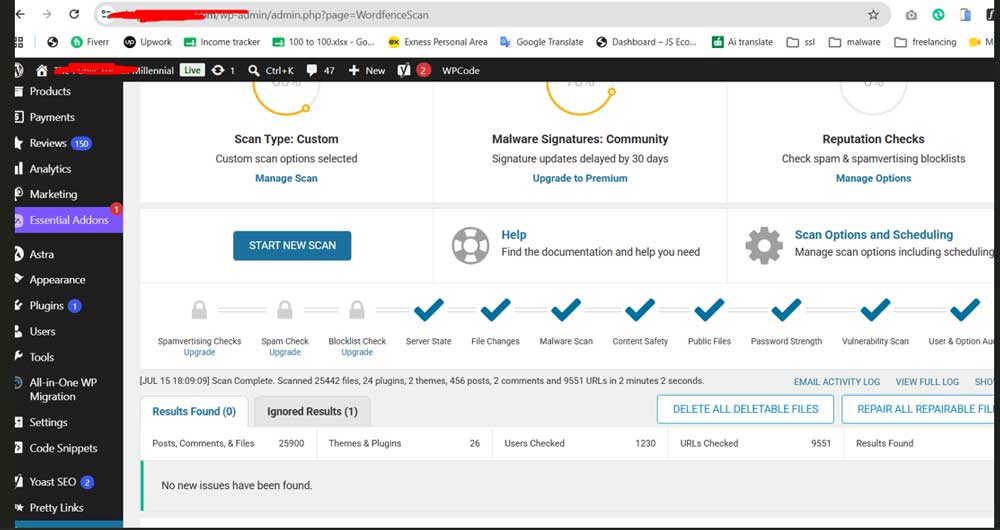
The final Wordfence security scan confirmed that the website was fully cleaned after the malware removal process. No active threats or suspicious files were detected, and the scan verified that the site was operating securely.
Wordfence Scan Results:
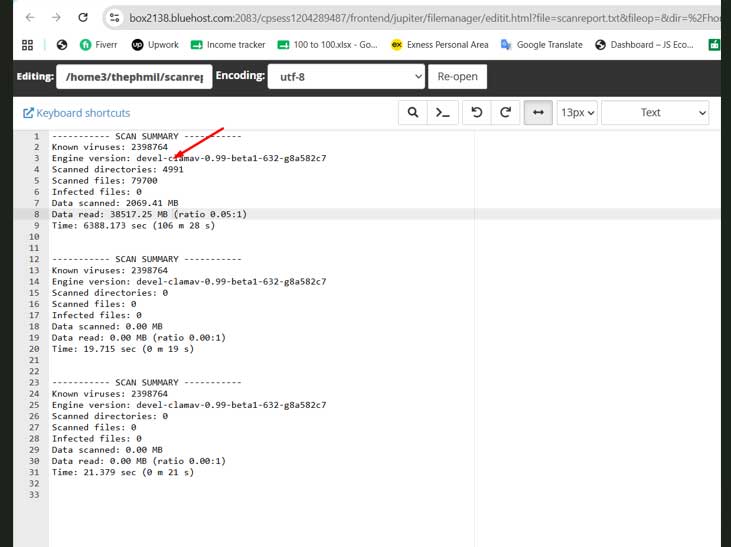
The hosting provider’s ClamAV scan was performed to verify that no malicious files remained on the server after the cleanup process. The scan completed successfully and confirmed that the website files were clean.
Bluehost ClamAV Results:
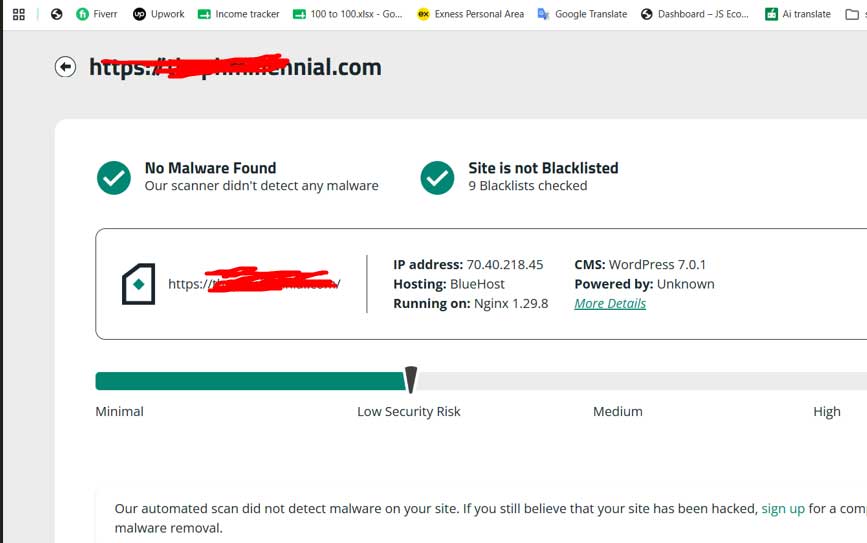
To provide an additional layer of verification, an independent external scan was performed using Sucuri SiteCheck. This confirmed that the website was clean and no longer flagged by any major security services.
Sucuri Verification Results:
Following the cleanup process, the website was fully operational again.
The final outcome included:
This case highlights the importance of proactive website security.
Many WordPress infections occur because of:
Regular updates, security monitoring, malware scanning, and backups are essential for protecting WordPress websites.
This project involved far more than simply deleting malware files.
A complete security investigation was performed to identify the source of the infection, remove all malicious components, restore the website, verify the integrity of WordPress, clean the database, eliminate unauthorized administrator access, and strengthen the overall security of the hosting environment.
After multiple verification scans using Wordfence, Bluehost ClamAV, and Sucuri SiteCheck, no malware remained on the website.
The client received a fully restored, secure, and operational WordPress website along with recommendations for ongoing maintenance and monitoring to reduce future security risks.
If your website is hacked or showing malware warnings, don’t panic. Contact us now and we will clean it for you.