
Google Blacklist Removal

Professional Google Blacklist Removal service for hacked websites. We remove malware, eliminate security warnings, submit Google review requests, and restore your website’s visibility and reputation.
Google Blacklist Removal

What is Google Blacklist?

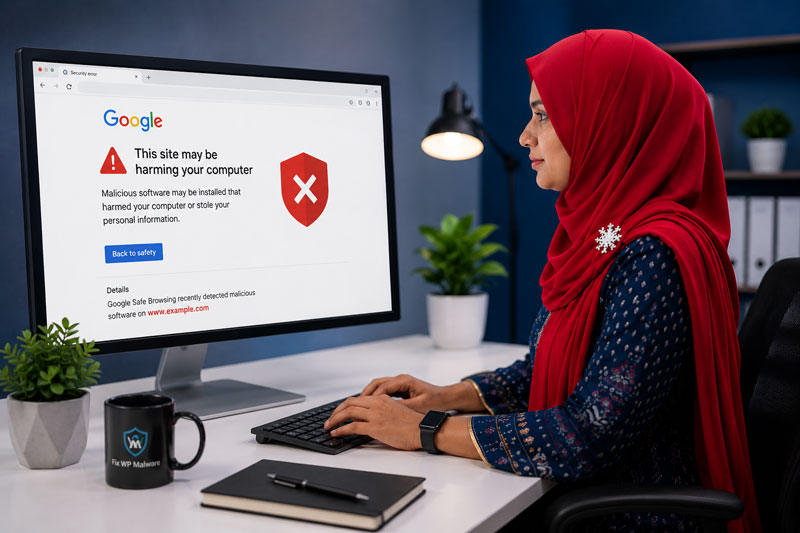
Google Blacklist Removal is the process of removing security warnings and blacklist status from your website after malware, phishing content, or harmful code has been detected by Google. Blacklisted websites may display warning messages in Google Search and Chrome, which can negatively affect traffic, SEO rankings, and customer trust.

Our experts clean infected files, remove malicious scripts, secure your website, and submit a review request to help restore your website’s reputation and safe browsing status.

Safe Cleaning

Our expert team will clean your site, remove all threats, and request a review to get your site removed from Google's blacklist.
Signs Your Website is Blacklisted
OUR REMOVAL PROCESS

Our 6-Step Blacklist Removal Process

Speed and SEO optimization icon
1. Website Scan & Analysis

We perform a deep scan to identify malware, suspicious code, and blacklist issues.

Malware Removal
2. Malware & Threat Removal

We clean all malicious files, codes, and injected spam from your website.

Cleanup & Repair
3. Vulnerability Fixing

We fix security loopholes and strengthen your website protection.
Security Hardening
4. Blacklist Removal Request

We submit a review request to Google for re-evaluation of your website.

Monitoring & Prevention
5. Restore & Monitor

Once removed, we monitor your site to keep it clean and secure.
Security Protection
6. Security Protection

We secure your website to prevent future attacks and blacklist issues.

WHY CHOOSE US

We Ensure Your Website is Safe & Trusted

Malware Removal
100% Safe & Secure

We follow industry best practices.

Fast Turnaround
Fast Turnaround

Most websites cleaned within a few hours.

100% Safe Cleaning
30 Days Guarantee

We ensure your site stays clean and secure.

Malware Removal
24/7 Dedicated Support

We're always here when you need us.

HOW IT WORKS

How Google Blacklist Removal Works

Why Google Blacklists Websites

Google Safe Browsing flags websites that put visitors at risk. The most common reasons are:

  • Malware or malicious JavaScript on your pages
  • Phishing pages hidden inside your website
  • Redirects to harmful or deceptive websites
  • Unwanted software downloads
  • Hacked content and SEO spam pages

When this happens, visitors see a red warning screen such as “Deceptive site ahead” or “The site ahead contains malware”, and most of them leave immediately.

What We Do to Remove the Warning

  • Check Google Search Console for the exact security issues reported
  • Scan all files and the database to find every infected area
  • Remove the malware, phishing pages and spam content
  • Close the vulnerability that let the attacker in
  • Verify the website is completely clean
  • Submit a detailed review request to Google
  • Monitor the review until the warning is removed

How Long Does Google Take to Remove the Warning?

Google only reviews a website after the security issues are fixed and a review request is submitted in Search Console. Reviews for malware are often processed within a few days, while phishing and deceptive content reviews can take longer. A review request sent before the site is fully clean is usually rejected, which delays recovery even more. That is why we always confirm the cleanup first and then submit a clear, detailed request.

Other Blacklists We Can Help With

Google is not the only company that flags hacked websites. Browsers, antivirus products and security vendors keep their own lists. We also help with McAfee website blocks, VirusTotal URL blacklist removal and other vendor listings, and we fix the security issues reported in Google Search Console.

Protecting Your Rankings After Recovery

A blacklist warning can quickly reduce your traffic, and hacked spam pages can stay in Google’s index after the warning is gone. After the cleanup we help you find and remove spam URLs, check that your sitemap only contains real pages and confirm that Google can crawl your site normally again. If the infection came from an outdated plugin or weak password, we fix it so the warning does not return. For the full cleanup process, see our WordPress malware removal service.

FREQUENTLY ASKED QUESTIONS

Google Blacklist Removal FAQ

What is Google blacklist?

Google blacklist is a security warning system that flags websites containing malware, phishing pages, or harmful content.

You may see warning messages in Google Chrome, search results, or receive alerts in Google Search Console.

You can check your website using Google’s Safe Browsing Transparency Report. If Google detects malware, phishing, or harmful content, a warning may appear in search results or Chrome browser.

Most blacklist removal requests are completed within 24–72 hours after the website is fully cleaned.
Yes, we follow Google’s security guidelines to maximize successful blacklist removal.

Yes. We offer Emergency Malware Removal  and Google Blacklist Removal services for websites that need urgent recovery and security restoration.


Need Help? We're Here!

If your website is hacked or showing malware warnings, don’t panic. Contact us now and we will clean it for you.