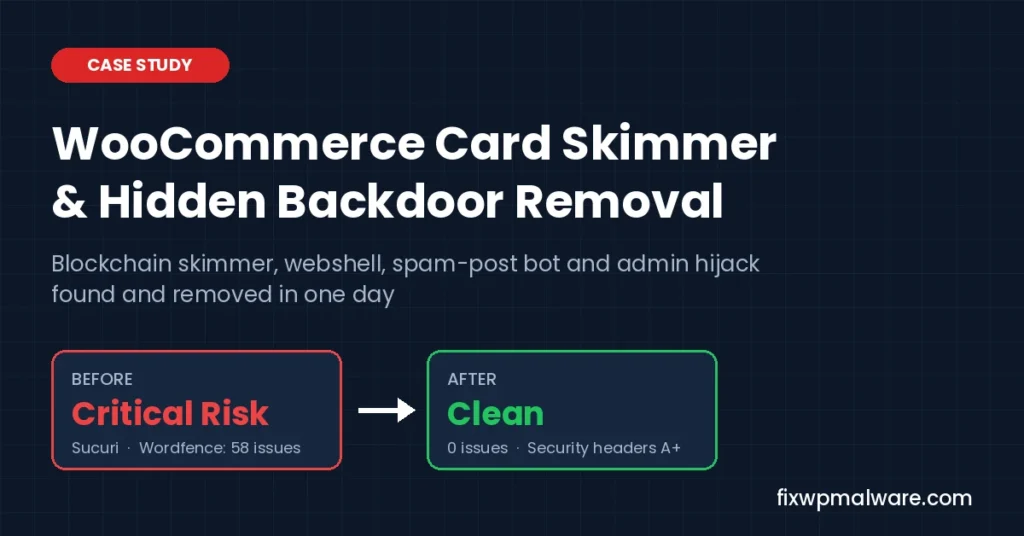
Summary: A US WooCommerce store came to us with a red “Malware Detected” warning from Sucuri, spam posts appearing out of nowhere and malware that kept coming back after every cleanup. We traced it to a WooCommerce card skimmer hidden as Google Tag Manager, a webshell in the cache folder, a hidden plugin running a posting bot and an admin-panel hijack inside an old database on the same hosting account. Everything was removed, the site was hardened, and it passed every check the same day.
Project Summary
| Platform | WordPress + WooCommerce + Elementor Pro |
| Problem | JavaScript card skimmer, spam posts, repeated reinfection |
| Infection found in | Database (plugin settings), cache folder, hidden plugin, old PrestaShop database |
| Hosting | Shared cPanel account with 5 websites and 9 databases |
| Scanned | 25,928 store files, about 516,000 account files, 1,400+ database tables |
| Cleanup time | Same day |
| Tools used | Sucuri SiteCheck, Wordfence, ClamAV, WP-CLI, phpMyAdmin, cPanel Terminal |
| Result | No malware in files or database, 0 Wordfence issues, Security Headers F to A+ |
Client details and screenshots are anonymized to protect the store owner.
The Problem: A Skimmer Warning and Malware That Kept Coming Back
The owner first noticed the problem in Sucuri SiteCheck. The homepage, the shop and several product categories were all flagged with the same signature: known JavaScript malware, magento_shoplift. “Shoplift” is the family name for scripts that steal payment details from online stores.
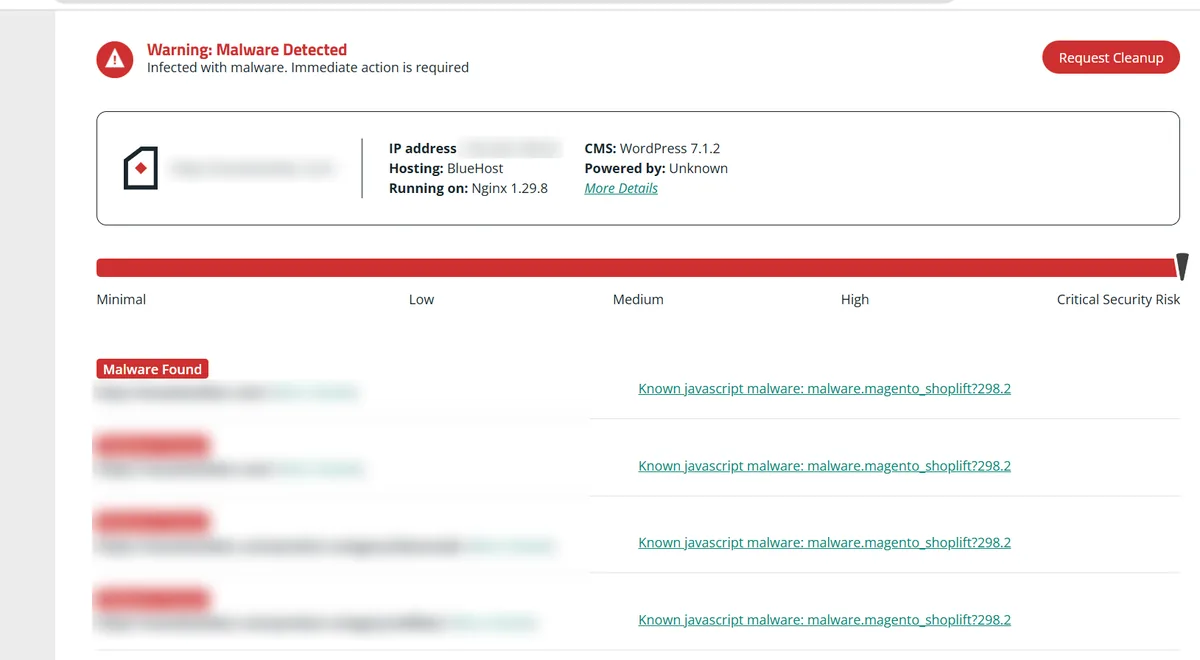
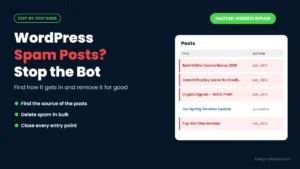
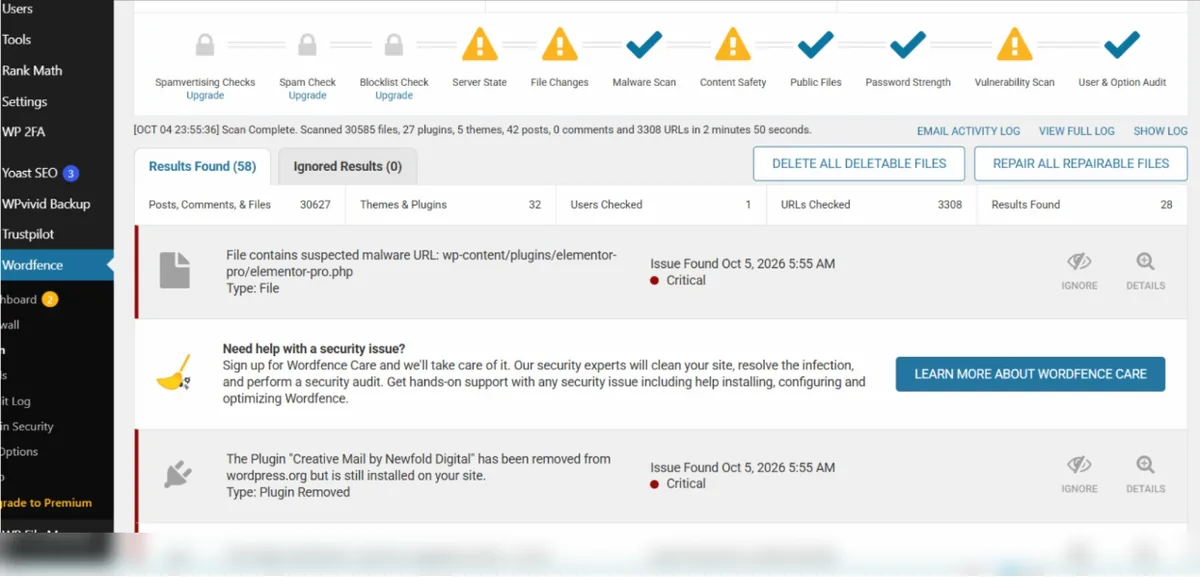
The owner’s message to us was short: “I unfortunately have a bot making posts on my website.” The hosting company had already quarantined suspicious files twice, yet the warning never went away. A Wordfence scan on the site reported 58 issues.
That combination tells a malware analyst a lot before a single file is opened:
- A skimmer warning means code is running in visitors’ browsers, usually injected through the database or a theme or plugin file.
- Bot-made posts mean someone can write into WordPress without logging in, so there is a backdoor.
- Reinfection after a host cleanup means that backdoor was missed and is putting the malware back.
Removing only the visible malware would have bought a few days at most. The real job was to find every way in. If this sounds like your site, our guide on why a WordPress site keeps getting hacked explains the usual causes.
What We Found: Five Parts of One Attack
The infection was not one file but a chain. Each part had a job, and each part protected the others.
1. A Blockchain-Powered Card Skimmer Disguised as Google Tag Manager
The visible malware sat in the footer box of a popular “headers and footers” plugin. It opened with a real-looking Google Tag Manager comment and container ID, so anyone glancing at the page source would assume it was analytics.
Underneath, it did something far more modern. The script loaded the ethers.js library, connected to a public Ethereum test network and read an encrypted value stored in a smart contract. It decrypted that value into a domain name and then loaded the real skimmer from that domain.
This technique is known as EtherHiding. It is hard to block because the attacker can switch the payload server at any time by updating the contract, without touching the website again. Blocking one domain does nothing.
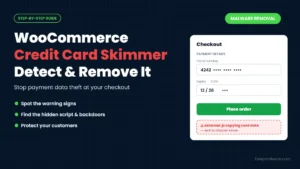
The script loaded on every page, including the cart and checkout, which is exactly where a WooCommerce card skimmer wants to be. Our guide on how to detect and remove a WooCommerce credit card skimmer explains the warning signs and cleanup steps.
2. A Webshell Hiding in the Cache Folder
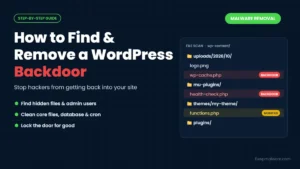
In wp-content/cache/minify/ we found a file called chunk-loader.php. Its header claimed to be a “WordPress Maintenance Module”, and its date had been backdated by a year to look old and harmless.
It was a remote file manager. It accepted commands over POST and could list, read, write and delete any file on the hosting account. This was the tool that put everything back after each cleanup.
3. A Hidden Plugin and a Remote Posting Bot
This was the source of the spam posts. A folder named site-tools- followed by a random string sat in the plugins directory, but it never appeared in the WordPress plugin list.
Its job was to maintain a file called easypost.php, a direct endpoint that let the attacker create posts and users remotely, change settings and even run server commands. The user IDs told the story: they jumped from 3 to 58, which means around 54 accounts had been created and deleted by the bot.
4. A Family of Disguised Droppers
The host’s scanner had already quarantined 16 files with innocent names such as rest-cache.php, widget-cache.php, object-cache.php and wp-mails.php. All of them shared the same fake timestamp pattern.
These were the reinstallers. The quarantine caught most of them, but it missed chunk-loader.php, so the cycle continued.
5. An Admin-Panel Hijack in an Old Shop Database
The store shared its hosting account with an old PrestaShop shop from 2019. A server-side ClamAV scan of the whole account found 57 infected files, almost all in that old install.
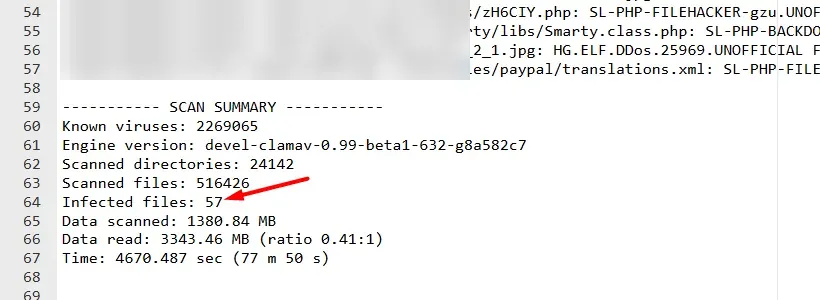
Those files had already been neutralized, but the database had never been checked. We found a script injected into all 12 “Quick Access” menu labels in the PrestaShop admin, in two languages. When an admin opened the dashboard, it silently redirected them to an attacker’s site and sent along the full admin URL, including the secret admin path and security token.
This was a stored cross-site scripting (XSS) attack aimed at the shop owner, not visitors, and no file scanner would ever have found it.
How It Fit Together
The old, unpatched shop was the most likely way in; its malware files date back to December 2024. Because every site on the account ran as the same user, a foothold in one site meant write access to all of them, including the WooCommerce store, which lived in a subfolder of the old shop’s directory. The skimmer was the last link in the chain, not the first.
How We Cleaned It, Step by Step
Our rule on every job is simple: find everything first, then remove it, then prove it is gone. Deleting the first suspicious file you see is how malware survives.
- Stopped the skimmer immediately. Customers were at risk on every page load, so the footer injection came out first. We confirmed the homepage, shop, cart, checkout and account pages were clean within minutes.
- Neutralized the webshell.
chunk-loader.phpwas moved out of the website into a private quarantine folder instead of being deleted, so evidence is kept if it is needed later. - Scanned every file’s contents, not just names. We read all 12,706 PHP files and 1,782 recently changed JavaScript files on the store and matched them against signatures for this attack family: the webshell, the posting bot, obfuscated code, eval and base64 loaders, and the blockchain loader.
- Verified WordPress against official checksums. Using WP-CLI, WordPress core and 17 of 18 plugins matched the official wordpress.org files exactly, and the theme matched its official release byte for byte. This proves no legitimate file was quietly modified.
- Hunted for hidden PHP across the whole account. We searched every image, icon and text file on all five sites for embedded PHP, and checked every
.htaccessand.user.inifor malicious redirects or auto-prepend rules. - Used ctime, not modified date. Attackers can backdate a file’s modified date, as they did here. The change time recorded by the server cannot be faked, so we listed every file changed in the last 40 days by that measure.
- Cleaned the old shop properly. 38 neutralized malware stubs were quarantined. We compared 12 flagged PrestaShop core files with the official source: 7 were identical, and 3 had been damaged by an earlier automated cleaner, so we restored them from the official release.
- Scanned every database. We checked 9 databases, more than 1,400 tables and 1,815 text columns for scripts, iframes, obfuscated JavaScript and PHP. That is where the PrestaShop admin hijack turned up. We backed up the table, removed only the injected code and confirmed the menu labels read normally again.
- Audited users, settings and scheduled tasks. Admin accounts, active plugins, site URLs, registration settings, cron jobs and API keys were all reviewed for anything the attacker could use to return.
The store was also moved out of the old shop’s folder into its own directory during the cleanup, and we re-ran the checksum and signature scans in the new location to make sure nothing came along with it.
Hardening the Store So It Stays Clean
Cleaning removes the malware. Hardening removes the reasons it got in. After the cleanup we:
- Moved the WordPress login to a custom URL, so bots hammering
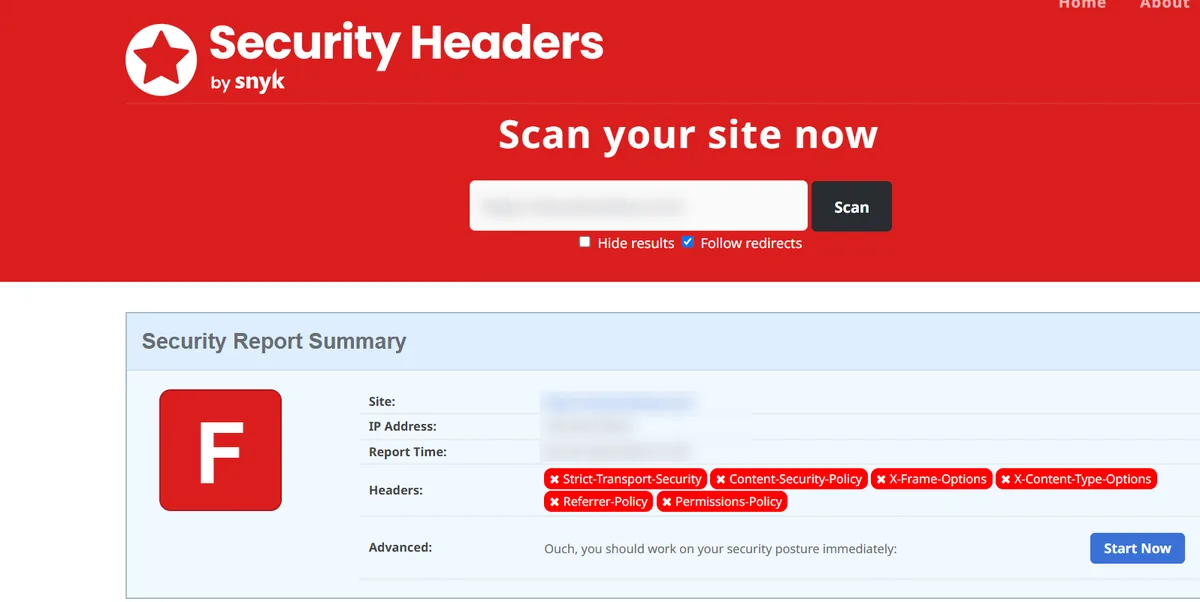
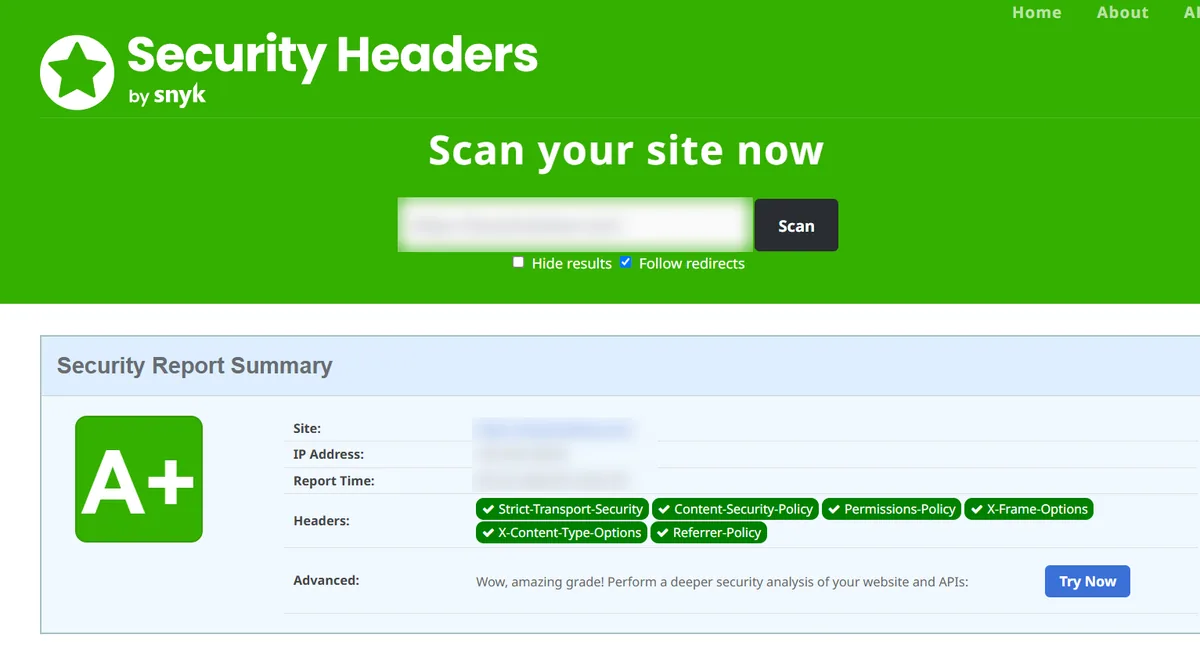
wp-login.phpfind nothing. - Added all six recommended HTTP security headers, taking the site from an F to an A+ on Security Headers. Our guide on how to fix missing security headers in WordPress shows how.
- Tightened
wp-config.phpfrom world-writable (0666) to 0640. - Recommended new passwords for cPanel, WordPress and every database, fresh security keys (salts) and two-factor login for all admins.
- Flagged two unused read/write WooCommerce API keys for review, and an old full-site backup sitting inside the web folder that contained database passwords.
The Result
By the end of the day the store was clean on every test we could run:
| Check | Result |
| Live pages (home, shop, cart, checkout, account) | No malicious scripts |
| WordPress core and plugin checksums | Match official releases |
| Wordfence scan | 0 issues (down from 58) |
| Sucuri SiteCheck | No malware found, not blacklisted |
| Database scan, all 9 databases | Admin hijack removed, nothing else found |
| Security Headers | A+ (up from F) |
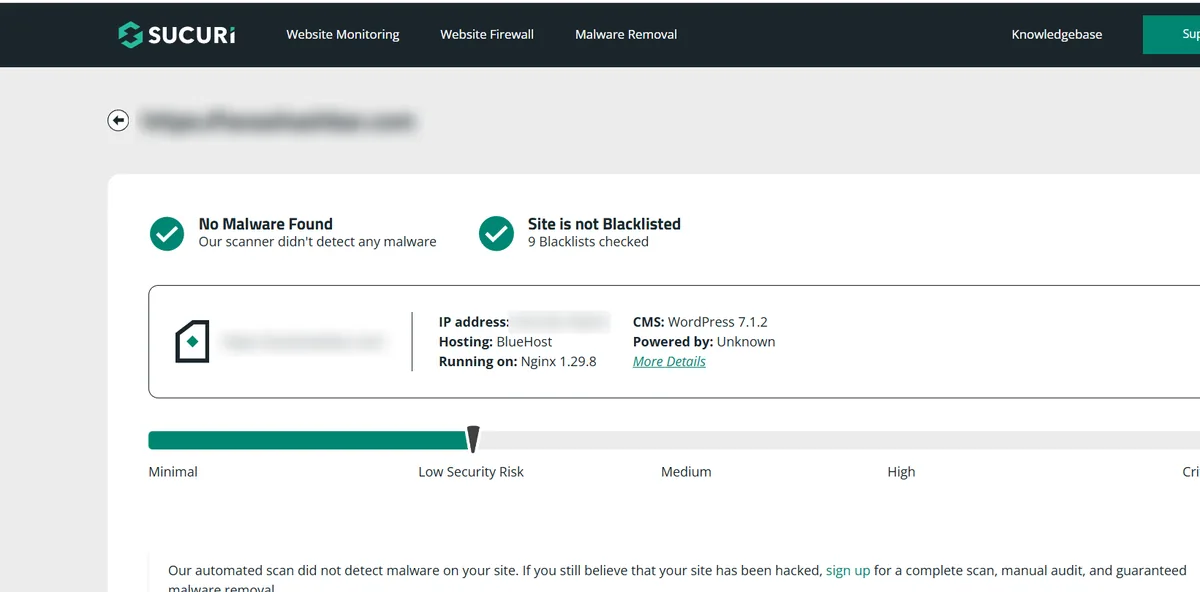
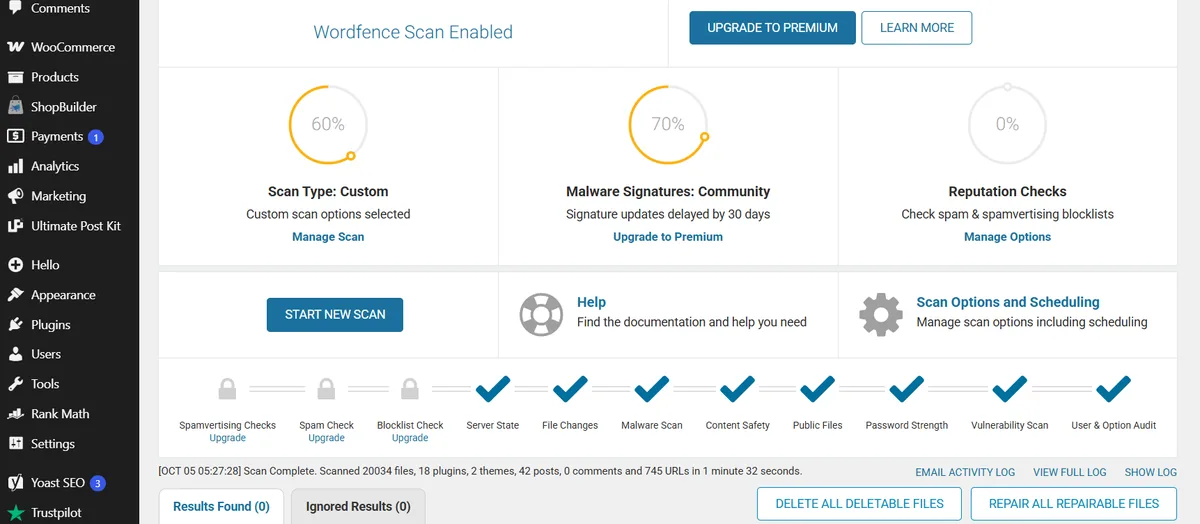
The skimmer stopped loading, the spam posts stopped, and the backdoors that kept bringing the malware back were gone.
Five Lessons for WooCommerce Store Owners
- Your weakest site protects your best one. An abandoned 2019 shop on the same hosting account was the likely way in to a busy, up-to-date store. Remove or isolate sites you no longer use.
- “Google Tag Manager” in your footer is not proof of safety. Attackers copy legitimate snippets because they look boring. If you did not add a script yourself, check it.
- A host’s quarantine is a start, not a cleanup. Here it caught 16 files and missed the one that mattered.
- File scanners do not read your database. Two of the most damaging pieces in this case, the skimmer and the admin hijack, lived only in the database.
- Reinfection always has a cause. If malware keeps returning, there is a backdoor, a shared-account path or a stolen password still in play. Keep looking until you find it.
Frequently Asked Questions
What is a WooCommerce card skimmer?
A card skimmer is malicious JavaScript that runs on your checkout page and copies the card details customers type in, then sends them to the attacker. It usually leaves the store working normally, so owners often only find out from a security scanner, a payment provider or customer complaints.
Can Sucuri or Wordfence remove a card skimmer on its own?
Scanners are very good at spotting the symptom, but a skimmer is often stored in the database or loaded from an outside server, and the backdoor that installed it may live elsewhere on the account. A full cleanup means removing the skimmer, every backdoor and the original way in.
Why does malware keep coming back after a cleanup?
Almost always because a backdoor was missed. In this case one webshell survived the host’s quarantine and reinstalled everything. Other common causes are old sites on the same hosting account, nulled plugins and stolen passwords.
Should I tell my customers if my store had a skimmer?
If card data may have been exposed, talk to your payment provider and check the breach-notification rules where you and your customers are based. We are not lawyers, but acting quickly and honestly protects both your customers and your business.
Is Your WooCommerce Store Showing the Same Signs?
A Sucuri or Google warning, posts or users you did not create, or malware that returns after a cleanup all point to the same thing: a backdoor that is still there. If you are not sure where to start, read what to do in the first 24 hours after a hack.
At Fix WP Malware we have cleaned hacked WordPress and WooCommerce sites since 2020. Every job includes a full file and database scan, checksum verification, backdoor removal and hardening. Get in touch through our WooCommerce malware cleanup service, or choose emergency malware removal if your checkout is at risk right now.