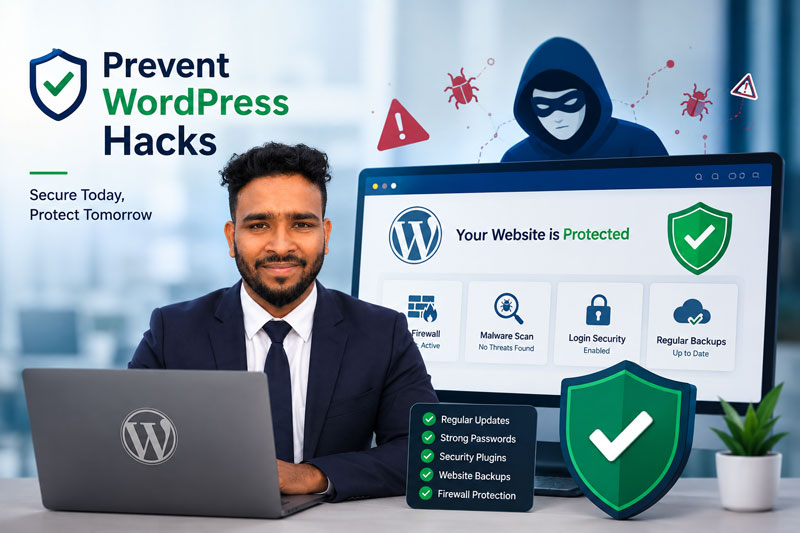
If you want to Prevent WordPress Hack problems before they damage your business, the best place to start is with simple, consistent security habits. WordPress powers millions of websites, but attackers often look for easy targets: outdated plugins, weak passwords, missing backups, poor hosting security, and unprotected login pages. For small business owners, bloggers, eCommerce store owners, and website administrators, prevention is much cheaper than emergency cleanup.
This guide explains five practical steps to help you protect WordPress from hackers, reduce malware risk, and build a secure WordPress website. It is written in plain language so you can take action even if you are not a technical expert.
Why You Need to Prevent WordPress Hack Issues Early
A hacked website can affect more than your files. It can damage customer trust, search rankings, email reputation, online sales, and your ability to operate normally. If visitors see warnings, redirects, spam pages, or strange popups, they may leave and never return.
Many WordPress hacks are automated. Attackers scan the internet for vulnerable plugins, weak login credentials, old themes, exposed admin panels, and common misconfigurations. They are often not targeting your business personally; they are targeting websites that are easy to break into.
That is why the goal is not only to react after an attack. The goal is to Prevent WordPress Hack risks before they become expensive problems. A good WordPress security plan includes updates, strong passwords, backups, firewalls, monitoring, and regular maintenance.
Step 1: Keep WordPress, Themes, and Plugins Updated
Updates are one of the simplest and most important WordPress security tips. WordPress core, themes, and plugins often receive updates to fix bugs and security vulnerabilities. When you ignore updates, attackers may already know how to exploit the old version.
Many website owners delay updates because they worry something might break. That concern is understandable, especially for business websites and WooCommerce stores. However, avoiding updates for months can create a much bigger risk. The safer approach is to back up the site first, update carefully, and test important pages afterward.
What You Should Update
- WordPress core files
- Active themes
- Inactive themes you still keep
- Plugins
- WooCommerce and payment-related extensions
- Security, backup, form, and page builder plugins
You should also delete themes and plugins you no longer use. Inactive software can still contain vulnerable files. If a plugin is abandoned and has not been updated for a long time, consider replacing it with a maintained alternative.
For official guidance, you can review the WordPress hardening documentation. It is a useful external authority resource for understanding how to secure WordPress website settings and reduce risk.
How Updates Help Prevent WordPress Hack Risks
Updates close known security gaps. When a plugin developer releases a patch, attackers may compare the old and new versions to find the weakness. Websites that do not update become easier targets. A regular maintenance schedule can help Prevent WordPress Hack attempts that depend on old software.
Step 2: Use Strong Passwords and Two-Factor Authentication
Weak passwords are one of the easiest ways attackers enter WordPress websites. If your password is short, common, reused, or based on personal information, it may be guessed or exposed through credential leaks.
A strong password should be unique, long, and difficult to guess. Use a password manager to create and store passwords for WordPress, hosting, email, FTP/SFTP, database access, and any connected services. Do not reuse the same password across multiple accounts.
Use Two-Factor Authentication
Two-factor authentication, often called 2FA, adds another layer of protection. Even if someone steals your password, they still need the second verification step. This is especially important for administrator accounts, store managers, editors, and anyone with access to customer or order data.
To Prevent WordPress Hack attempts through login abuse, combine strong passwords with 2FA, login attempt limits, and user role review. Remove old users, avoid shared admin accounts, and give each person only the access they actually need.
Review Admin Users Regularly
Check your WordPress users at least once a month. If you see an unknown administrator, investigate immediately. Unknown admin users can be a sign of an active compromise and may require WordPress Malware Removal.
Step 3: Create Reliable Backups Before Trouble Starts
Backups do not stop hackers from attacking your site, but they can make recovery much easier. If your website is hacked, damaged, or accidentally broken during an update, a clean backup can help you restore the site faster.
A strong backup plan includes both files and the database. Your files include WordPress core, themes, plugins, uploads, and configuration files. Your database includes posts, pages, users, settings, products, orders, comments, and plugin data.
What Makes a Good Backup Plan?
- Automatic scheduled backups
- Offsite storage away from the hosting server
- Multiple restore points
- Database and file backups
- Regular restore testing
For eCommerce stores, backups are even more important because orders and customer data change frequently. Real-time or frequent backups may be better than weekly backups for active stores.
Backups also support WordPress Malware Removal. If you know when the website was infected, you may compare files and database changes against older clean versions. However, restoring a backup without fixing the vulnerability can lead to another infection.
Step 4: Use a Web Application Firewall and Security Plugin
A Web Application Firewall, or WAF, helps filter harmful traffic before it reaches your website. It can block common attacks, suspicious requests, malicious bots, and known exploit attempts. A firewall is one of the best tools to help protect WordPress from hackers.
There are two common types of WAF: cloud-based firewalls and plugin/server-based firewalls. A cloud-based firewall can stop bad traffic before it reaches your server. A plugin-based firewall works inside WordPress and can still be useful, especially when combined with login protection and malware scanning.
Security Plugin Features to Look For
- Malware scanning
- File change monitoring
- Firewall rules
- Login attempt protection
- Security alerts
- Blacklist monitoring
- Vulnerability notifications
Popular tools include Wordfence, Sucuri, Patchstack, and MalCare. You can also check public security status with tools such as Google Safe Browsing or Sucuri SiteCheck.
A security plugin alone cannot guarantee complete protection. WordPress security works best as a system: updates, strong passwords, backups, monitoring, firewall protection, and safe hosting all work together to Prevent WordPress Hack incidents.
Step 5: Monitor, Maintain, and Secure Your Website Regularly
Security is not a one-time task. If your goal is to Prevent WordPress Hack risks, consistency matters more than one-time setup. A secure WordPress website needs regular attention. If you only check security after something breaks, attackers may already have access.
Set a monthly maintenance routine. Review updates, check users, scan for malware, test backups, review forms, check site speed, and monitor unusual traffic. If your website is important to your business, ongoing maintenance is one of the smartest investments you can make.
Monthly WordPress Security Checklist
- Update WordPress, themes, and plugins
- Delete unused plugins and themes
- Review admin users
- Check backup success
- Run a malware scan
- Review security plugin alerts
- Check important pages and forms
- Confirm SSL is working
- Review website performance
If you do not have time to manage this yourself, consider a professional WordPress maintenance and security service. Regular maintenance can reduce emergency costs and help Prevent WordPress Hack problems before they affect customers.
Extra WordPress Security Tips for Small Business Owners
The five steps above cover the foundation, but you can improve WordPress website security further with a few extra habits that help Prevent WordPress Hack risks.
Choose Secure Hosting
Your hosting provider affects your website security. Look for hosting with server monitoring, malware scanning, automatic backups, updated PHP versions, SSL support, and responsive support.
Avoid Nulled Themes and Plugins
Nulled plugins and themes often contain hidden malware or backdoors. They may appear free, but they can cost much more if they lead to a hacked website.
Limit File Upload Risks
If your website allows file uploads through forms, membership areas, or customer portals, make sure uploads are restricted and scanned. Unsafe upload settings can let attackers place malicious files on your server.
Use HTTPS Everywhere
SSL helps protect data moving between the visitor and your website. It is especially important for login pages, contact forms, checkout pages, and admin access.
How a Maintenance Plan Helps Prevent WordPress Hack Problems
A maintenance plan is one of the most practical ways to Prevent WordPress Hack problems because it turns security into a routine instead of an emergency reaction. Many hacked websites are not attacked because the owner did nothing at all. They are attacked because updates, scans, backups, and user reviews were delayed for too long.
For small business owners, a monthly WordPress security routine can save time and stress. You do not need to check every technical detail every day, but you should have a clear schedule. Review plugin updates, check for failed backups, confirm that contact forms work, scan the site for malware, and look for unknown users. These simple checks help you protect WordPress from hackers before they find easy openings.
Maintenance also helps with performance and SEO. A clean, updated, secure WordPress website is easier for visitors to use and easier for search engines to trust. If your site is slow, full of outdated scripts, or frequently down, customers may lose confidence. Security and user experience often work together.
Common Mistakes That Make WordPress Websites Easier to Hack
To Prevent WordPress Hack issues, it also helps to understand common mistakes. One mistake is using too many plugins without reviewing whether they are still needed. Every plugin adds code to your site, and poorly maintained code can create risk. Another mistake is giving administrator access to users who only need editor or shop manager access.
Website owners also forget to check old staging sites, test installations, and unused subdomains. Attackers can find these forgotten areas and use them as a path into the main website. If you no longer need a test site, remove it or secure it properly.
A final mistake is assuming that a security plugin alone is enough. Plugins are useful, but they cannot replace smart password habits, clean backups, careful updates, secure hosting, and professional review when something looks suspicious.
When Prevention Is Not Enough: WordPress Malware Removal
Even with strong security, no website is completely risk-free. If your website starts redirecting visitors, showing browser warnings, sending spam, loading strange scripts, or displaying unknown pages in Google, you may need professional WordPress Malware Removal.
A proper cleanup should remove infected files, clean database injections, delete backdoors, review users, change passwords, identify the root cause, and secure the site against future attacks. If you only delete obvious files, the infection may come back.
Fix WP Malware helps website owners fix hacked WordPress websites, remove malware, repair security issues, and protect sites after cleanup.
Frequently Asked Questions
How can I Prevent WordPress Hack attacks?
Keep WordPress, themes, and plugins updated. Use strong passwords, two-factor authentication, offsite backups, a security plugin, a firewall, and regular monitoring.
Is WordPress security expensive?
Not always. Many important steps are free or low cost, including updates, strong passwords, user cleanup, backups, and basic security plugins. Professional support is useful when your website is business-critical.
Does a firewall protect WordPress from hackers?
A firewall can block many harmful requests and automated attacks. It is very helpful, but it should be combined with updates, backups, strong passwords, and monitoring.
What should I do if my WordPress site is already hacked?
Back up the current site, scan for malware, remove infected files, check the database, delete backdoors, change all passwords, update software, and review users. If you are unsure, hire a professional malware removal service.
Can backups prevent WordPress hacks?
Backups do not prevent attacks, but they make recovery easier. A clean backup can help restore files and compare changes after an infection.
How often should I check WordPress security?
Small business websites should review security at least monthly. High-traffic sites, WooCommerce stores, and membership websites may need more frequent monitoring.
Final Thoughts
You do not need to be a cybersecurity expert to improve WordPress security or Prevent WordPress Hack problems. Start with the basics: update your site, strengthen passwords, create backups, use a firewall, and maintain the website regularly. These five steps can help Prevent WordPress Hack risks and keep your business safer online.
If your website has already been hacked or you want expert help securing it, Fix WP Malware can help. We provide malware cleanup, hacked website repair, blacklist support, and ongoing security maintenance for WordPress websites.