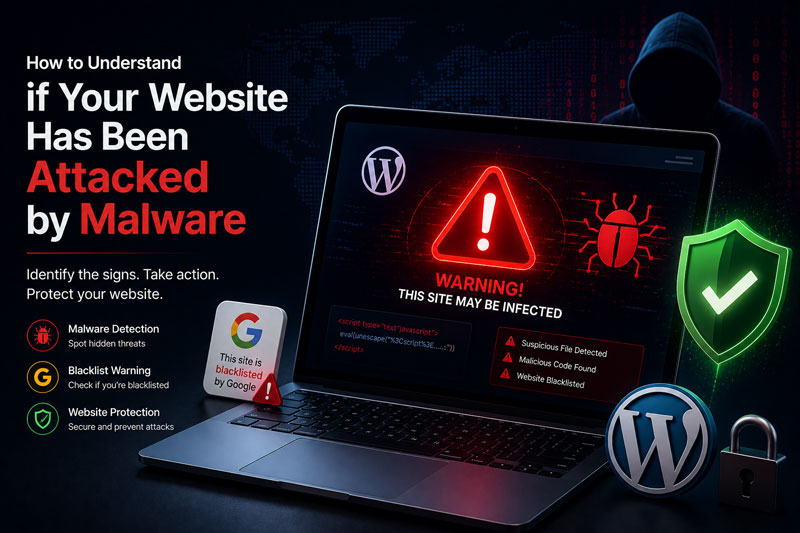
Malware attacks are no longer a problem only for large companies or high-profile websites. Small business owners, WordPress users, online stores, local service providers, bloggers, and agencies are all common targets. In many cases, attackers are not personally choosing your business. They are using automated tools to scan thousands of websites for weak passwords, outdated plugins, exposed admin panels, insecure themes, and server misconfigurations. When they find a weakness, they can inject malicious code within seconds.
The difficult part is that a malware infected website does not always look broken at first. Your homepage may still load normally. Your contact form may still work. Your customers may not complain immediately. But behind the scenes, malware can redirect visitors, steal login details, send spam emails, create hidden pages, damage your search rankings, or give attackers long-term access to your site.
This guide explains how to understand if your website has been attacked by malware, which hacked website signs you should never ignore, and when professional Website Malware Removal becomes the safest option. If you own a WordPress site, you will also learn the most common WordPress Malware Removal warning signs and what to do next.
What Does Website Malware Mean?
Website malware is malicious code or unauthorized software placed on a website without the owner’s permission. It can be added to core files, theme files, plugin files, database tables, JavaScript snippets, hidden directories, or server configuration files. The goal depends on the attacker. Some malware redirects visitors to scam pages. Some inject spam links for SEO manipulation. Some steals customer data. Some creates backdoors so the attacker can return even after a basic cleanup.
For website owners, the most important thing to understand is this: malware is not always visible from the front end. A site can appear normal to you while showing harmful content to search engines, mobile visitors, visitors from specific countries, or users who arrive from Google. This is why malware detection requires more than simply opening your homepage and checking whether it loads.
Why Small Business Websites Are Common Malware Targets
Small business owners often assume attackers only care about banks, enterprise companies, or famous brands. In reality, smaller websites are attractive because they are often easier to compromise. A local business website may not have a dedicated security team. A WordPress site may use several third-party plugins. An old theme may remain active for years. Backups may be missing or outdated. Passwords may be reused across multiple services.
Attackers can use a compromised small business website for many purposes. They may send spam emails through the server, host phishing pages, inject hidden casino or pharmacy links, redirect visitors to fake downloads, or use the website as part of a wider bot network. Even if your website does not store payment information, it can still be valuable to attackers.
Major Hacked Website Signs You Should Never Ignore
If you notice one of the following hacked website signs, do not assume it is a small technical glitch. One sign may have an innocent explanation, but several signs together often point to a malware infected website.
1. Your Website Redirects Visitors to Unknown Pages
Unexpected redirects are one of the most common malware symptoms. A visitor clicks your website link, but instead of reaching your page, they are sent to a gambling site, fake software download, adult website, suspicious survey, or another unrelated page. Sometimes the redirect only happens on mobile devices. Sometimes it only happens for first-time visitors. Sometimes it only appears when the visitor comes from a search engine.
This behavior is often caused by injected JavaScript, infected plugin files, malicious .htaccess rules, or database-level scripts. If customers report strange redirects but you cannot reproduce the issue, take it seriously. Malware often hides from logged-in administrators.
2. Google Shows a Security Warning for Your Site
If Google displays messages like “This site may be hacked” or “This site may harm your computer,” your website has likely triggered a security detection system. You can also check your domain with the Google Safe Browsing site status tool. Browsers may also show red warning screens before allowing visitors to continue. These warnings can damage trust quickly because most users will leave immediately.
When this happens, Website Malware Removal should be handled carefully. Cleaning only the visible files may not be enough. You also need to remove backdoors, check user accounts, review server access, and request a review after the infection is fully resolved.
3. Unknown Pages Appear in Search Results
Search engine spam is another major sign of website malware. You may search your domain and find pages about pills, betting, loans, crypto scams, fake products, or foreign-language content that you never created. These pages may not appear in your WordPress dashboard because attackers can generate them dynamically or hide them in the database.
This type of infection is especially harmful for SEO. Search engines may crawl thousands of spam URLs, associate your domain with unsafe content, and reduce trust in your legitimate pages. If you see strange indexed URLs, you should investigate immediately.
4. Your Website Becomes Suddenly Slow
Performance problems do not always mean malware, but a sudden slowdown can be a warning sign. Malicious scripts may run in the background, spam bots may abuse your server resources, or injected code may load external scripts from suspicious domains. If your site was fast before and becomes slow without a clear reason, check for website security issues.
Look for unusual CPU usage, high memory consumption, unexpected database load, increased outgoing emails, or strange traffic spikes. These signals can indicate that your server is doing work you did not authorize.
5. You Cannot Log In to WordPress Admin
If your WordPress login suddenly stops working, your administrator account may have been changed, deleted, or downgraded. Attackers sometimes create their own admin accounts and lock out the real owner. They may also change passwords, modify email addresses, or add malicious login rules.
Before resetting everything, check whether other suspicious changes exist. A login issue combined with unknown users, changed files, or redirects is a strong sign that WordPress Malware Removal may be needed.
6. New Admin Users Appear Without Permission
Unknown administrator accounts are a serious security concern. If you see users you did not create, especially with admin privileges, your site may already be compromised. Attackers use these accounts to keep access even if you remove one infected plugin or change one password.
Do not only delete the unknown account and move on. You should also check how the account was created, whether backdoor files exist, whether passwords were exposed, and whether your database has been modified.
7. Your Hosting Provider Sends an Abuse or Malware Alert
Hosting companies often scan servers for suspicious activity. If your host warns you about malware, phishing, spam, high resource usage, or infected files, treat it as urgent. Some hosts temporarily suspend infected websites to protect other customers on the same server.
A hosting alert usually includes file paths, timestamps, or malware signatures. These details are useful, but they rarely show the full infection. A proper cleanup should identify the root cause so the same problem does not return.
8. Antivirus or Browser Tools Warn Visitors
Sometimes visitors will tell you that their antivirus software blocks your website. This can happen if your pages load malicious scripts, suspicious iframe content, infected downloads, or unsafe third-party resources. Even if the site looks normal on your device, visitor warnings should be investigated quickly.
9. Your Website Sends Spam Emails
If customers, hosting providers, or email services report spam coming from your domain, malware may be using your server to send messages. This can damage your domain reputation and cause legitimate emails to land in spam folders. For small businesses, that can mean missed leads, failed password resets, and poor customer communication.
Spam activity can come from compromised contact forms, infected scripts, weak SMTP credentials, or unauthorized files uploaded to the server. Removing the spam script is only one part of the fix. You may also need to rotate passwords and review email authentication settings.
10. Files or Code Change Without Explanation
Unexpected file changes are a strong malware indicator. If you see strange PHP files, unknown JavaScript, encoded code, unfamiliar folders, or modified core files, your website may have been attacked. Common suspicious patterns include long unreadable strings, base64 encoded code, hidden iframe injections, and files with names that look similar to legitimate WordPress files.
Be careful when removing suspicious files manually. Some malware is connected across multiple files and database entries. Deleting one visible file may break the site or leave the main backdoor active.
WordPress Malware Removal Warning Signs
WordPress is powerful and widely used, which also makes it a common target. Most WordPress attacks happen through outdated plugins, vulnerable themes, weak passwords, nulled extensions, exposed admin accounts, or poor server permissions. If you use WordPress, pay close attention to these warning signs.
Suspicious Plugin or Theme Behavior
If a plugin starts behaving strangely after an update, or if a theme contains files you do not recognize, investigate before assuming it is harmless. Nulled themes and plugins are especially dangerous because they often contain hidden backdoors. Professional WordPress Malware Removal includes checking active and inactive themes, plugin folders, upload directories, and WordPress core integrity.
Unknown Popups or Injected Ads
Unexpected popups, banners, push notification prompts, or ads can mean that scripts have been injected into your site. These scripts may be stored in theme files, widgets, custom HTML blocks, plugin settings, or database fields. Because the injected code may only appear under certain conditions, it can be hard to find without a structured malware scan.
Changed Site URL or Homepage Settings
If your WordPress site URL, homepage, permalink structure, or important settings change without your action, check for unauthorized access. Attackers may alter settings to support redirects, hide spam content, or interfere with normal admin control.
Repeated Reinfection After Cleanup
One of the clearest signs that cleanup was incomplete is reinfection. If malware returns after you delete suspicious files, the attacker probably has a backdoor, stolen credentials, vulnerable plugin, or server-level access. In this situation, professional Website Malware Removal is strongly recommended because repeated reinfection can waste time and increase damage.
Common Website Security Issues That Lead to Malware
Understanding the cause of infection is just as important as recognizing the symptoms. Many malware attacks are preventable when common website security issues are fixed early.
Outdated Plugins, Themes, or CMS Core
Outdated software is one of the biggest risks. When developers release security patches, attackers often reverse-engineer the weakness and scan the internet for websites that have not updated. If your WordPress plugins, themes, or core files are old, your site may be exposed.
Weak or Reused Passwords
Weak passwords make brute force and credential stuffing attacks easier. If you use the same password for WordPress, hosting, email, and FTP, one leaked password can compromise multiple systems. Every admin account should use a strong unique password, and two-factor authentication should be enabled whenever possible.
Poor File Permissions
Incorrect file permissions can allow attackers to upload, edit, or execute files they should not control. Permissions should be strict enough to protect sensitive files while still allowing the website to function correctly. This is especially important for upload folders, configuration files, and executable scripts.
No Reliable Backup System
Backups do not prevent malware, but they are essential for recovery. A good backup system keeps clean restore points, stores backups away from the infected server, and allows you to recover files and databases. However, restoring a backup without fixing the original vulnerability can lead to another infection.
Unprotected Forms and Upload Features
Contact forms, file upload forms, registration forms, and comment areas can be abused if they are poorly protected. Attackers may use them to send spam, upload scripts, or test vulnerabilities. Security rules, validation, spam protection, and regular monitoring help reduce this risk.
How Malware Can Damage Your Business
A malware infected website is not only a technical issue. It can affect revenue, reputation, search visibility, and customer trust. For small business owners, even a short period of downtime or browser warnings can lead to lost inquiries and missed sales.
Loss of Customer Trust
Visitors expect your website to be safe. If they see security warnings, strange redirects, or suspicious popups, they may assume your business is unreliable. Trust is difficult to rebuild, especially when customers are asked to submit contact details, login information, or payment data.
SEO Ranking Drops
Search engines want to protect users from harmful websites. If your domain is flagged, rankings can drop and pages may be removed from search results. Spam pages can also dilute your topical authority and cause search engines to crawl the wrong content.
Revenue and Lead Loss
If your site redirects visitors, loads slowly, or gets blocked, potential customers may never reach your services. Online stores can lose orders. Service businesses can lose form submissions and phone calls. Agencies can lose client confidence. Fast Website Malware Removal helps reduce business disruption.
Email Deliverability Problems
Spam activity from your domain can hurt email reputation. Important business emails may start going to spam, and customers may miss invoices, confirmations, or support replies. Cleaning the website and reviewing email security should both be part of recovery.
What to Do If You Think Your Website Has Malware
If you suspect malware, do not panic, but do act quickly. The longer an infection remains active, the more damage it can cause.
Step 1: Document the Symptoms
Write down what you noticed, when it started, which pages are affected, and whether the issue happens on desktop, mobile, logged-in sessions, or search engine visits. Screenshots and URLs are helpful for diagnosis.
Step 2: Check Admin Users and Recent Changes
Review WordPress users, plugin updates, theme changes, new pages, and recently modified files. If you see unknown admins or suspicious changes, assume the site may be compromised.
Step 3: Avoid Random File Deletion
Deleting files without understanding the infection can make recovery harder. Some malicious files are decoys, while the real backdoor remains hidden. Some infected files may also contain legitimate code that needs careful cleaning rather than simple deletion.
Step 4: Change Critical Passwords
Change passwords for WordPress admins, hosting, FTP/SFTP, database users, email accounts, and any connected services. Use unique passwords and enable two-factor authentication where possible.
Step 5: Scan and Clean the Website
A proper cleanup should inspect files, database entries, admin users, plugin integrity, theme integrity, server rules, and backdoors. For WordPress Malware Removal, it is important to compare core files, review uploads, remove malicious users, patch vulnerabilities, and test the site after cleanup.
Step 6: Request Search Engine Review if Needed
If Google or another security provider flagged your site, you may need to request a review after the malware is fully removed. Do not request a review too early. If the site is still infected, the warning may remain and future reviews may take longer.
Website Malware Removal: When Should You Hire a Professional Service?
You can handle basic security tasks yourself, such as updating plugins, changing passwords, and reviewing users. However, professional help is often the safer choice when the infection affects business operations or keeps returning.
You should consider professional Website Malware Removal if your website redirects visitors, Google shows a warning, your host threatens suspension, spam pages appear in search results, admin users were added without permission, malware returns after cleanup, or you are not sure which files are safe to remove.
A professional malware removal process should do more than delete suspicious files. It should identify the infection source, remove backdoors, clean malicious code, secure vulnerable areas, test the website, and provide prevention recommendations. For WordPress users, this includes checking plugins, themes, core files, database tables, uploads, cron jobs, and admin accounts.
FAQ: Website Malware, Hacked Website Signs, and Cleanup
How do I know if my website has malware?
Common signs include unexpected redirects, Google security warnings, unknown pages in search results, suspicious admin users, slow performance, spam emails from your domain, browser warnings, and unfamiliar files on your server. If several signs appear together, your site may be infected.
Can a website be hacked even if it looks normal?
Yes. Many malware infections are hidden from site owners. Malware may only appear to search engines, mobile visitors, first-time visitors, or users from specific locations. That is why a normal-looking homepage does not always mean the website is clean.
Is WordPress more likely to get malware?
WordPress is popular, so attackers often scan for vulnerable WordPress sites. The platform itself can be secure when maintained properly, but outdated plugins, weak passwords, nulled themes, and poor hosting security can create risk.
Can I remove website malware myself?
You may be able to handle simple issues if you have technical experience, clean backups, and access to your server. However, malware can hide in files, databases, users, and server rules. If you are unsure, professional Website Malware Removal is safer.
Why does malware come back after cleanup?
Reinfection usually means the original vulnerability or backdoor was not removed. Attackers may still have access through a hidden file, stolen password, vulnerable plugin, unknown admin account, or insecure server setting.
How fast should I act if my website is hacked?
You should act as soon as possible. Malware can damage SEO, customer trust, email reputation, and business revenue. Fast cleanup reduces risk and helps prevent the infection from spreading or becoming harder to remove.