Your WooCommerce store is taking orders, payments are going through and nothing looks wrong. Then a customer emails you: their card was used for purchases they never made, and the only new place they shopped was your store. Or your payment processor contacts you about fraud linked to your website. Or a malware scanner flags your shop with a warning about payment-stealing JavaScript.
These are the classic signs of a WooCommerce credit card skimmer. It’s one of the most damaging infections an online store can have, because it steals your customers’ money while your store keeps working normally. In this guide, we explain how card skimmers work, how to detect one on your WooCommerce store, how to remove it step by step and what to do afterwards.
What Is a WooCommerce Credit Card Skimmer?
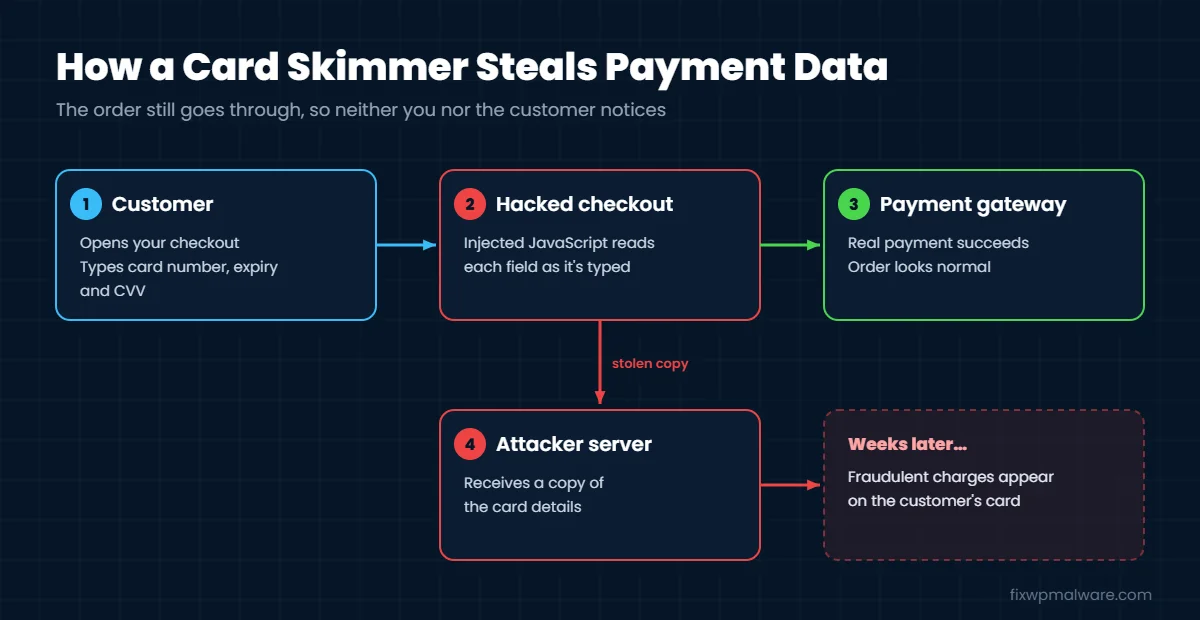
A credit card skimmer (also called an e-skimmer or “Magecart” attack) is malicious JavaScript that copies payment details as customers type them at checkout. The script runs in the customer’s browser, quietly collects the card number, expiry date, CVV and billing details, and sends them to a server the attacker controls. The order itself usually completes as normal, so neither you nor the customer notices anything at the time.
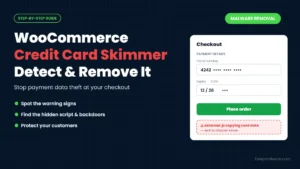
Some skimmers read the data straight from your checkout fields. Others inject a fake payment form that looks like part of your checkout, collect the card details, then show an error and let the customer pay again through the real form. To the customer it looks like a small glitch. In reality, their card has just been stolen.
Can a Skimmer Steal Cards If I Use Stripe or PayPal?
Yes, it can. Payment gateways like Stripe and PayPal load card fields from their own secure servers, which makes direct theft harder. But a skimmer running on your checkout page can still show a fake card form before the real one, or ask customers to “confirm” their card details in a popup. If your checkout page is compromised, customers are at risk no matter which gateway you use.
Signs of a WooCommerce Credit Card Skimmer
- Customers report fraudulent charges on cards they used in your store
- Your payment processor or bank contacts you about fraud linked to your site
- A scanner such as Sucuri SiteCheck reports JavaScript malware, often with names like “shoplift” or “skimmer”
- Your checkout shows the payment form twice, an unexpected error after the first attempt or a popup asking for card details
- The page source of your checkout loads scripts from domains you don’t recognize
- Code that claims to be Google Analytics or Google Tag Manager appears in places you didn’t add it
- Your site also has other signs of a hack, such as new admin users, spam posts or files that come back after deletion
Skimmers are built to stay hidden. Many only activate on the checkout page, only for visitors who aren’t logged in, or only once per visitor. That’s why store owners who check their own site often see nothing wrong.
Where WooCommerce Skimmers Hide
Card skimmers are usually injected into places that load on every page, or specifically on the cart and checkout pages:
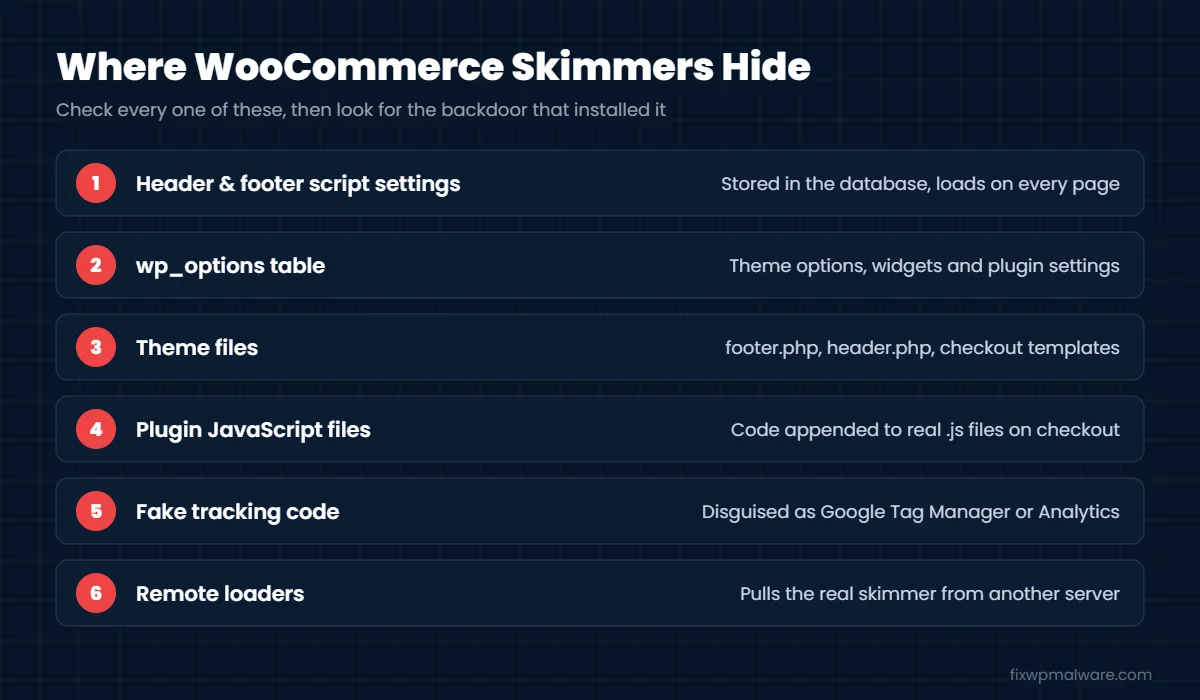
- Header and footer script settings: plugins that let you add code to the header or footer store it in the database. Attackers love these boxes because the code loads everywhere and never appears in your files.
- The database: the
wp_optionstable (theme settings, widgets, plugin settings) and sometimes posts or pages. - Theme files:
footer.php,header.phpandfunctions.php, or a WooCommerce checkout template in your theme. - Plugin JavaScript files: code added to the end of legitimate
.jsfiles used on the checkout page. - Fake tracking code: scripts disguised as Google Analytics, Google Tag Manager or Facebook Pixel snippets.
- Remote loaders: a small script that loads the real skimmer from another server. Some newer skimmers even read their server address from a blockchain smart contract, so the attacker can change it at any time.
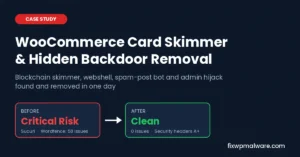
In our WooCommerce card skimmer case study, the skimmer was hidden in a “headers and footers” plugin, disguised as Google Tag Manager, and loaded its payload through a blockchain smart contract. A webshell in the cache folder kept putting it back after every cleanup.
Skimmers rarely arrive alone. The attacker almost always leaves a backdoor so they can reinstall the skimmer if you remove it. Our guide on how to find and remove a WordPress backdoor explains where to look.
How to Detect a WooCommerce Credit Card Skimmer
Use these checks together. No single check catches every skimmer.
1. Scan the store from the outside
Run your homepage, a product page, the cart and the checkout through an external scanner such as Sucuri SiteCheck. External scanners see the site the way customers do, including scripts injected from the database.
2. Inspect the checkout page source
Log out of WordPress, open your checkout in a private window and view the page source. Look for <script> tags that load from unfamiliar domains, long blocks of scrambled code, and code using atob, eval or String.fromCharCode. Compare every script with what your theme and plugins should load.
3. Watch where the checkout sends data
Open your browser’s developer tools, go to the Network tab and fill in the checkout with test details (never a real card). Look for requests sent to domains that aren’t your site, your payment gateway or tools you actually use.
4. Check your script settings
Open every place where custom code can be added: header and footer plugins, your theme’s custom code options, Elementor or page builder custom code, and your Google Tag Manager container. Remove any code you can’t explain.
5. Search the database and files
In phpMyAdmin, search the wp_options and wp_posts tables for <script, atob(, eval( and any suspicious domain you found. On the server, compare WordPress core and plugins with official copies using wp core verify-checksums and wp plugin verify-checksums --all, and look for recently modified files.
How to Remove a WooCommerce Credit Card Skimmer
Act quickly. Every order placed while the skimmer is active may expose another customer’s card.
- Protect customers first. If you can’t remove the skimmer right away, put the store into maintenance mode or temporarily disable checkout.
- Take a backup for evidence. Download your files, database and access logs before you change anything. You may need them for your payment processor.
- Remove the skimmer code. Delete the malicious script from the database, theme files, plugin settings or JavaScript files where you found it.
- Reinstall core, plugins and themes. Replace WordPress core and reinstall every plugin and theme from official sources. Delete anything you don’t use.
- Find and remove every backdoor. Check uploads, cache folders, mu-plugins, unknown admin users, cron jobs and other sites on the same hosting account. If you skip this, the skimmer will return.
- Change every credential. Reset passwords for WordPress, hosting, FTP or SFTP and the database. Regenerate your payment gateway API keys and webhook secrets, and secure your Google Tag Manager and Google accounts.
- Clear all caches. Purge your caching plugin, server cache and CDN, otherwise customers may still receive an infected copy of the checkout.
- Scan again. Repeat the external scan and checkout tests until everything comes back clean.
Our full WordPress malware removal guide covers the general cleanup in more detail.
After the Cleanup: Protect Your Customers and Your Business
- Contact your payment processor. Tell them what happened, when it started and when it was fixed. They will explain what they need from you, which may include a PCI DSS assessment.
- Work out the exposure window. Use your logs and file dates to estimate when the skimmer was added, so you know which orders may be affected.
- Notify affected customers. Let them know so they can contact their bank. Depending on where you and your customers are, there may be legal rules about data breach notification, so get proper legal advice.
- Clear security warnings. If Google or antivirus vendors flagged your store, request reviews. See our guides to Google Search Console security issues and VirusTotal blacklist removal.
How to Prevent Card Skimmers
- Update WordPress, WooCommerce, plugins and themes every week
- Keep only the plugins you really need, and never use nulled software
- Use two-factor authentication for every admin and shop manager account
- Limit who can add custom scripts, and review header and footer code regularly
- Use a web application firewall and file change monitoring
- Add a Content Security Policy header to control which domains can load scripts. Our guide to fixing missing security headers in WordPress explains how.
- Check your checkout page source and run an external scan at least once a month
Vulnerable plugins are a common way in. In May 2026, for example, Sansec reported attackers actively exploiting a vulnerability in a popular WooCommerce checkout plugin. Fast updates are your best protection.
Frequently Asked Questions
How long can a card skimmer go unnoticed?
Often weeks or months. Skimmers don’t break your store, and many only activate on the checkout page for certain visitors. Many store owners only find out when customers or their payment processor report fraud.
Can a security plugin detect a card skimmer?
Sometimes. Skimmers stored in the database, loaded from remote servers or disguised as tracking code are often missed by file scanners. Combine a plugin with external scans and manual checks of your checkout.
Will removing the skimmer stop the theft immediately?
It stops new card data from being stolen, as long as every backdoor is also removed and caches are cleared. Cards that were already stolen remain at risk, which is why customers and your payment processor need to know.
How did the attacker get into my store?
Usually through an outdated or vulnerable plugin, a stolen admin password, a nulled theme or plugin, or another infected website on the same hosting account.
Do I need to tell my customers?
If card data may have been stolen, customers should be told so they can protect themselves. The legal requirements depend on your location, so speak to your payment processor and a legal adviser.
Think Your Checkout Has Been Skimmed?
A card skimmer is an emergency. We find and remove the skimmer, every backdoor behind it and any infection on the rest of your hosting account, then secure your store so it can’t happen again. Choose emergency malware removal to get your checkout safe today, or our hacked website repair service for a full cleanup and hardening.