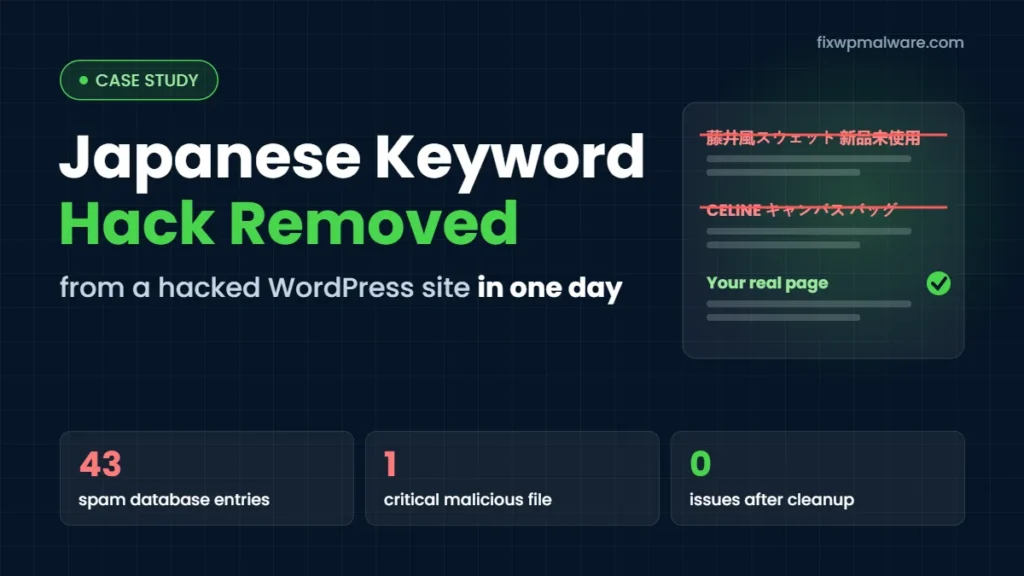
Summary: A UK business website running WordPress suddenly had Japanese product pages showing up under its name in Google. Visitors searching for the business saw listings for clothing and designer bags instead of its real pages, and Google Search Console had flagged the site. We traced the Japanese keyword hack to infected database entries, modified WordPress core files and a hidden malicious PHP file, cleaned everything and had the site verified clean on the same day.
Project Summary
| CMS | WordPress |
| Problem | Japanese keyword hack (SEO spam pages under /items/) |
| Infection found in | Database, WordPress core files, a malicious PHP file |
| Google status | Flagged in Google Search Console |
| Cleanup time | Same day |
| Tools used | Wordfence, phpMyAdmin, Google Search Console |
| Result | No malware in files or database, spam URLs submitted for removal |
The Problem: Japanese Spam Pages in Google
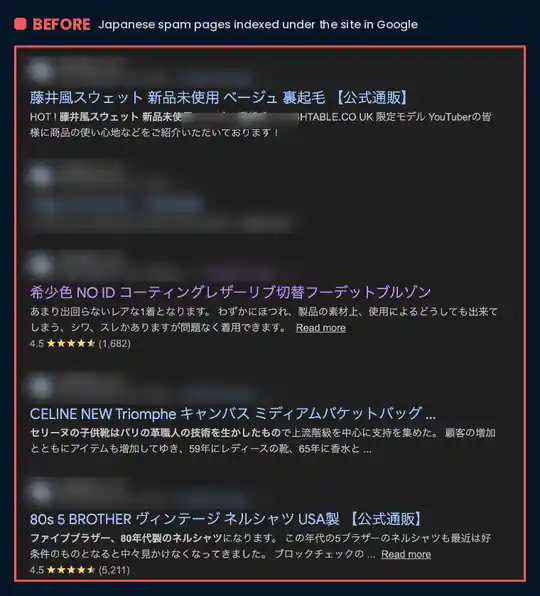
The first sign was in Google itself. When we searched for the site, the real pages were mixed with listings the owner had never created: Japanese titles for hoodies, leather jackets, vintage shirts and designer handbags, some even showing star ratings. All of them lived under URLs starting with /items/.
This is a classic Japanese keyword hack. Attackers use a hacked site’s good reputation in Google to rank their own spam pages, usually to sell counterfeit goods. The owner often doesn’t notice anything when visiting the homepage, because the spam is built to show mainly to search engines and to people arriving from search results.
To make things worse, the site had also been flagged in Google Search Console, which puts search rankings and visitor trust at risk.
What We Found
Our rule is simple: investigate first, delete later. Removing only the spam pages you can see almost never works, because whatever creates them stays behind. So before changing anything, we mapped out every place the infection was hiding.
1. Spam entries in the database
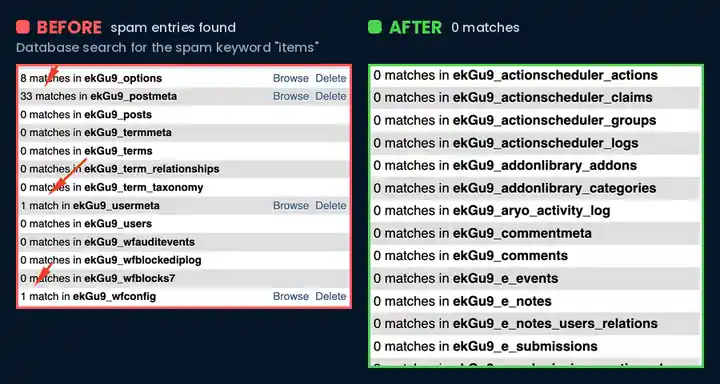
We searched the whole database for the spam keyword items. It turned up in several places where it had no business being:
- 8 entries in the
optionstable - 33 entries in the
postmetatable - 1 entry in the
usermetatable - 1 entry in the Wordfence configuration table
Database entries like these are what keep a Japanese keyword hack alive. Even if every file is cleaned, infected options and meta data can rebuild the spam pages again.
2. Malware in WordPress core files and a malicious PHP file
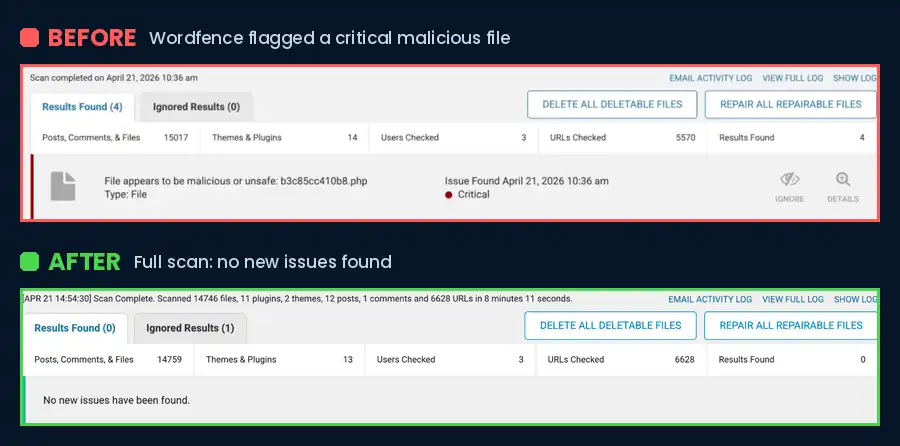
A Wordfence scan found four issues, including a critical result: a PHP file with a random name that Wordfence identified as malicious. The scan also reported changed files and warnings in the malware and vulnerability checks, which confirmed that WordPress core files had been modified.
How We Cleaned the Site
- Removed the malicious PHP file that Wordfence flagged as critical.
- Cleaned the infected WordPress core files, so no modified system file was left on the server.
- Cleaned every spam entry in the database across the options, postmeta, usermeta and Wordfence tables, while keeping the site’s real content and settings intact.
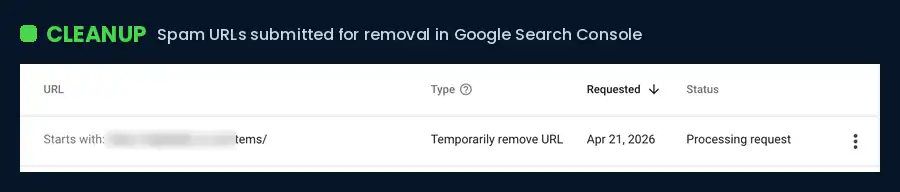
- Removed the spam URLs from Google. In Google Search Console we used the Removals tool for every URL starting with
/items/, so the Japanese pages would drop out of the search results. A removal only hides a URL for about six months, which is why cleaning the source in the database matters so much. - Verified everything twice: a full Wordfence rescan of the files and a fresh search of the whole database.
The Result
By the afternoon of the same day, the site was clean:
- The full Wordfence scan checked more than 14,700 files and 6,600 URLs and found no issues.
- A new database search for the spam keyword returned 0 matches.
- The spam URLs were submitted for removal from Google, and the site was ready for re-indexing.
The website is working normally again.
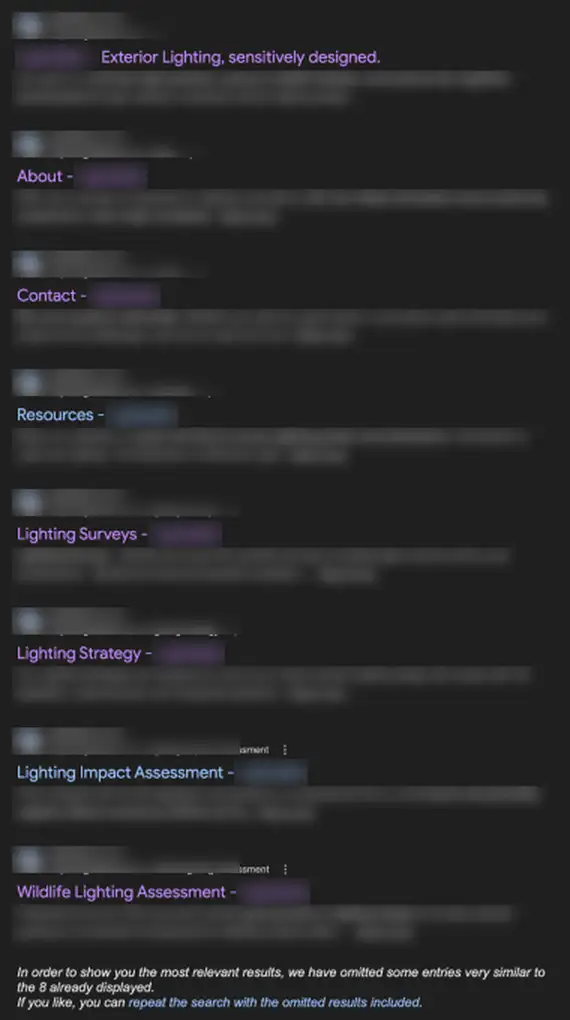
After the cleanup, we checked Google again. A search for the site now shows only the business’s own pages, such as its homepage, About, Contact and service pages. Not a single Japanese spam result is left.
What Is the Japanese Keyword Hack?
The Japanese keyword hack is a type of SEO spam attack. Hackers break into a website, usually through an outdated plugin, a weak password or a nulled theme, and create thousands of auto-generated pages in Japanese. These pages link to fake online shops and use your domain’s trust in Google to rank.
Common signs include:
- Japanese titles and descriptions under your domain in Google search results
- Strange URLs in your sitemap or in Google Search Console, often in a folder you never created
- A sudden drop in search traffic, or new “hacked content” warnings in Search Console
- Unknown users or verified owners added to your Search Console account
Google also has its own step-by-step guide on how to fix the Japanese keyword hack.
Want to clean it up yourself? Our step-by-step guide shows you how to fix the Japanese keyword hack in WordPress, from finding the spam to cleaning the database.
If you see any of these, read our guide on what to do in the first 24 hours after a WordPress hack.
Lessons: How to Prevent This From Happening Again
After the cleanup, we gave the site owner these recommendations:
- Keep WordPress, themes and plugins updated
- Use strong, unique passwords for every account
- Use a security plugin such as Wordfence or Sucuri
- Enable firewall protection
- Take regular backups
For a full checklist, see our guide on how to prevent WordPress hacks.
Japanese Keyword Hack: Frequently Asked Questions
How long does it take for Japanese spam pages to leave Google?
A removal request in Search Console usually hides the URLs within a day or two, but only for about six months. The spam disappears for good once the pages return a 404 error and Google recrawls them, which can take anywhere from a few days to several weeks depending on how many spam URLs were indexed.
Can I fix the Japanese keyword hack by deleting the spam pages?
No. The pages you see are only the output. The code that creates them sits in the database and in hidden or modified files, so if you only delete the visible pages, new ones usually appear within hours. In this case study, the spam lived in four different database tables as well as in the file system.
Will the hack come back after cleanup?
It can if a backdoor file is left behind or the original weakness, such as an outdated plugin or a leaked password, is not fixed. That is why we verify every cleanup with a full file scan and a second database search, then change all passwords and update everything.
Does the Japanese keyword hack hurt my SEO?
Yes. Google may show a “This site may be hacked” warning, your real pages can lose rankings, and your domain’s trust is spent on someone else’s spam. The faster the site is cleaned, the faster rankings usually recover.
Is Your Site Showing Japanese Spam in Google?
A Japanese keyword hack won’t go away on its own, and every day it stays online it can hurt your rankings. We clean the files and the database, remove the spam from Google and make sure it doesn’t come back. Get in touch through our hacked website repair service, or choose emergency malware removal if you need help right now. If Google has already flagged your site, our Google blacklist removal service handles the review for you.