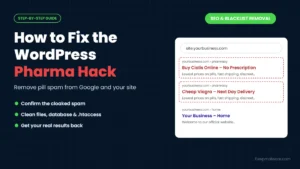
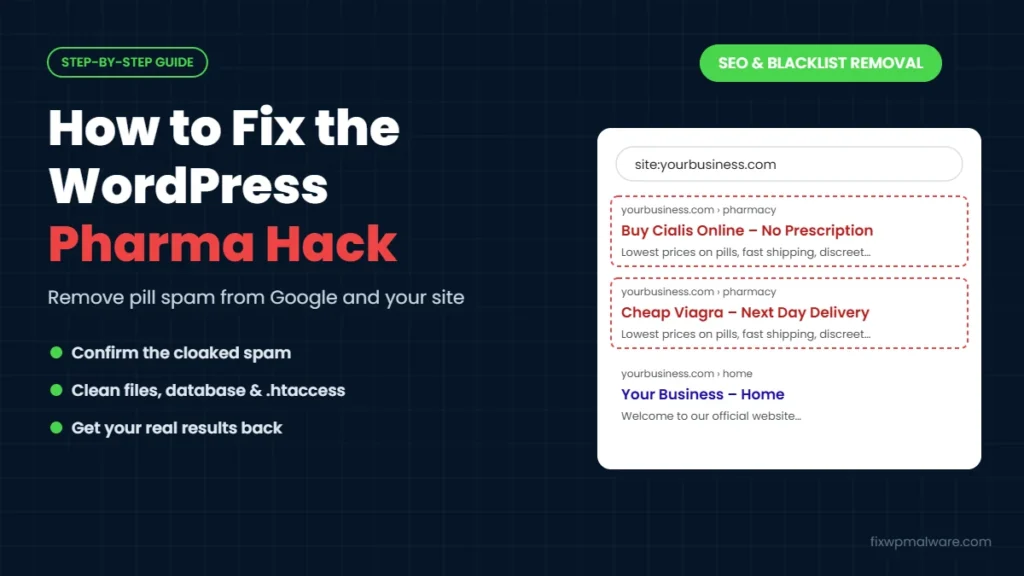
You search for your business in Google and see something strange under your own domain: “Buy Cialis Online Without Prescription”, “Cheap Viagra Next Day Delivery” or long lists of pharmacy products. When you visit your website, everything looks normal. No pill ads, no spam pages, nothing.
This is the WordPress pharma hack, one of the oldest and most common types of SEO spam. Attackers use your site’s reputation in Google to promote fake online pharmacies, and they hide it so well that most site owners only find out when customers or Google tell them. In this guide, we explain how the pharma hack works, how to confirm you have it, where it hides and how to remove it for good.
What Is the WordPress Pharma Hack?
The pharma hack is a type of SEO spam that injects pharmaceutical keywords, links or entire pages into a hacked website. The goal is to make Google rank the attacker’s pharmacy pages using your domain’s trust and backlinks. Google treats this kind of content as hacked spam, which can lead to warnings in search results and lost rankings for your real pages.
Depending on the infection, you may see:
- Changed titles and descriptions: your real pages show pharmacy titles in Google search results
- Hidden links: invisible links to pharmacy sites added to your pages
- Spam pages: hundreds or thousands of new pages about drugs, often in a folder that doesn’t exist in your WordPress
- Redirects: visitors from Google are sent to an online pharmacy
Signs of the WordPress Pharma Hack
- Google shows drug names in the titles or descriptions of your pages
- A
site:search reveals pages about pills or online pharmacies under your domain - Search Console shows impressions for drug-related search queries you never targeted
- Visitors say they were sent to a pharmacy site after clicking your link in Google
- Your organic traffic drops suddenly, or Google shows “This site may be hacked” under your results
- Search Console has a new owner or a sitemap you didn’t submit
- Your hosting company or an SEO tool reports spammy outbound links from your pages
Any one of these is enough reason to investigate. The pharma hack rarely fixes itself, and the longer it stays, the more spam pages Google indexes.
Why You Can’t See It on Your Own Site
The pharma hack almost always uses cloaking. The malicious code checks who is visiting. If the visitor is Googlebot, or someone arriving from a Google search, it shows the spam. If it’s you, typing your own address, it shows your normal website. That’s why the infection can stay hidden for months.
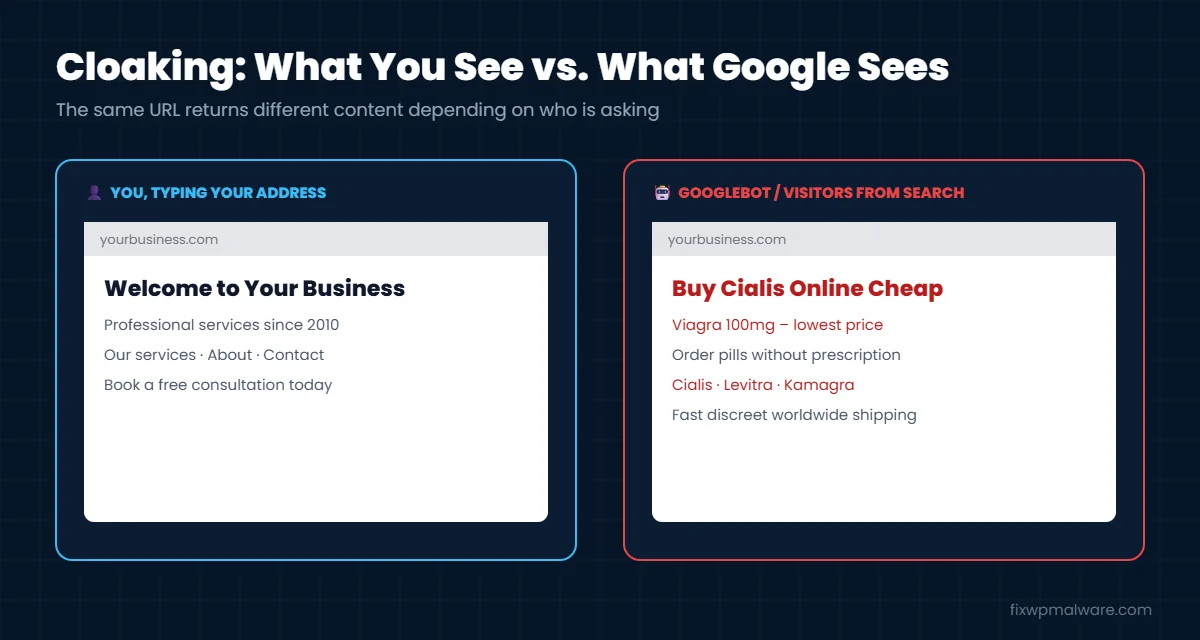
Google describes this as the cloaked keywords and links hack, and its official guide recommends using Search Console to see what Google actually receives from your site.
How to Confirm Your Site Has the Pharma Hack
1. Search Google for your site
Search for site:yourdomain.com viagra, then repeat with words like cialis, pharmacy, pills or prescription. Any results that show drug-related titles or descriptions under your domain confirm the problem. Also try a plain site:yourdomain.com search and look through several pages of results for URLs you don’t recognize.
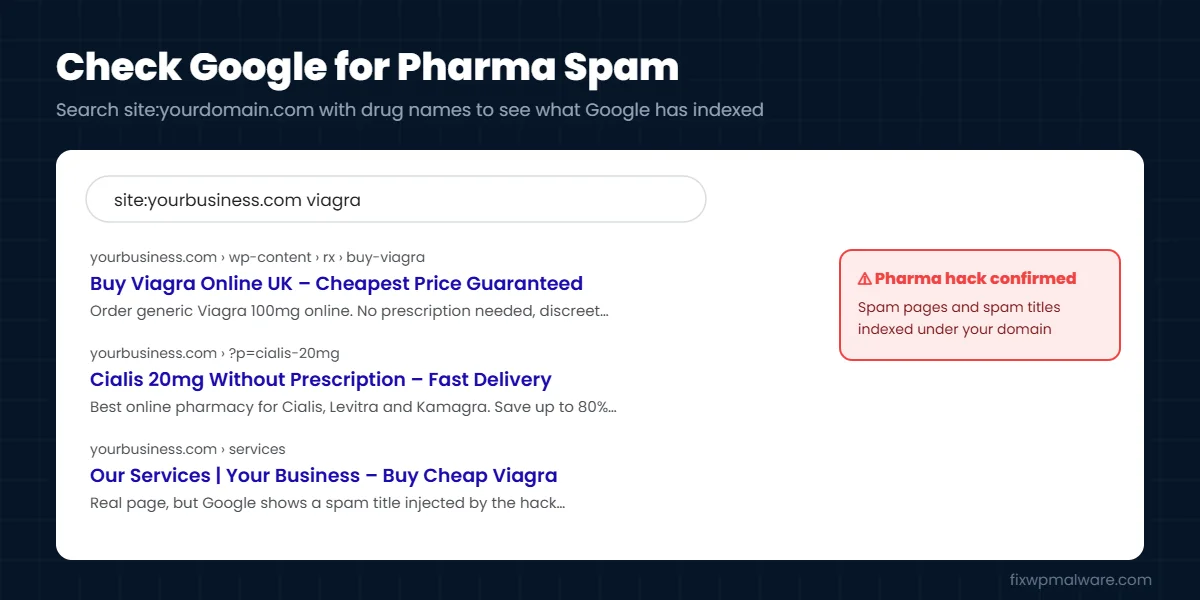
2. Use the URL Inspection tool
In Google Search Console, inspect your homepage and a few affected URLs, then click Test Live URL and view the crawled page. This shows the HTML Google receives. If it contains pharmacy text or links that you can’t see in your browser, the site is cloaking.
3. Check the Security Issues and Performance reports
Look in Security & Manual Actions for “Hacked: Content injection” or similar warnings. Then open the Performance report and check the search queries. If your site is getting impressions for drug names, the spam is indexed. Our guide to Google Search Console security issues explains each warning.
4. Test as Googlebot
If you’re comfortable with the command line, compare what a normal browser gets with what Googlebot gets, for example with curl -A "Googlebot" https://yourdomain.com/. Some infections check the visitor’s IP address as well, so URL Inspection is the more reliable test.
Where the Pharma Hack Hides in WordPress
- The database: spam content and encoded code stored in the
wp_optionstable, often under option names that look like normal settings or cache entries. Spam can also be injected into posts and pages. - Theme files: code added to
functions.php,header.phporfooter.phpthat prints spam only for search engines. - Core files: malicious code at the top of
index.php,wp-load.phporwp-config.php, or new files inwp-includes. - .htaccess: rewrite rules that send search engine visitors, or certain URLs, to a malicious PHP file.
- Spam page generators: PHP files that create thousands of fake pharmacy pages on the fly, often with their own spam sitemap.
- Backdoors: hidden files that let the attacker reinstall everything after you clean up.
Spam hacks are closely related. If you’re seeing Japanese product pages instead of pharmacy spam, read our guide on how to fix the Japanese keyword hack. The cleanup is very similar.
How to Remove the WordPress Pharma Hack: Step by Step
Step 1: Back up and lock the attacker out
Take a full backup of files and the database and label it as infected. Change passwords for WordPress, hosting, FTP or SFTP and the database, delete unknown admin users and generate new security keys in wp-config.php. Our checklist on what to do in the first 24 hours after a hack covers this in detail.
Step 2: Clean Search Console
Open Settings, then Users and permissions in Search Console. Remove any owner you don’t recognize, along with their verification file or DNS record. Then open the Sitemaps report and remove any sitemap you didn’t submit.
Step 3: Replace core, themes and plugins
Reinstall WordPress core and every plugin and theme from official sources. Delete anything you don’t use and replace nulled software. This removes most file-based infections in one step.
Step 4: Clean .htaccess and look for leftover files
Replace .htaccess with the default WordPress rules and add back only what you need. Then look for PHP files in the uploads folder, unknown folders in the site root and recently modified files.
Step 5: Clean the database
In phpMyAdmin, search all tables for drug names such as viagra, cialis and pharmacy, and for code such as base64_decode and eval(. Check wp_options carefully for unknown options with long encoded values. Remove the spam, but don’t delete options you don’t understand without checking first.
Step 6: Remove every backdoor
The pharma hack usually comes back if a backdoor is left behind. Check mu-plugins, cache folders, cron jobs and other sites on the same hosting account. Our guide on how to find and remove a WordPress backdoor walks you through it.
Step 7: Confirm the spam is gone
Run URL Inspection again on the pages that showed spam. The live test should show only your real content, and spam URLs should return a 404 Not Found error. Clear your caching plugin and CDN before testing.
For a complete cleanup process, see our WordPress malware removal guide.
Remove the Spam from Google
- Request a review if the Security Issues report lists a problem. Explain what you found, what you removed and how you secured the site.
- Submit your real sitemap again so Google recrawls your clean pages.
- Use the Removals tool to hide spam URLs from search results faster while Google recrawls.
- Request indexing of your homepage and key pages so their real titles return.
If Google also shows a warning under your site in search results, read our guide on removing “This site may be hacked”.
How to Prevent the WordPress Pharma Hack
- Update WordPress, themes and plugins every week
- Remove plugins and themes you don’t use, and never install nulled software
- Use strong passwords and two-factor authentication
- Use a firewall and scheduled malware scans
- Check Search Console regularly for security issues, unknown users and strange search queries
- Search
site:yourdomain.com viagraonce a month, it takes ten seconds
Our checklist on how to prevent WordPress hacks covers each of these in detail.
Frequently Asked Questions
Why does Google show pharmacy spam when my site looks normal?
Because of cloaking. The malicious code only shows spam to Google’s crawler and to visitors coming from search results. Use URL Inspection in Search Console to see what Google sees.
Will the pharma hack hurt my rankings?
Yes. Google treats hacked content as spam, so your real pages can lose rankings and your site may get a warning in search results. Rankings usually recover after the site is clean and Google recrawls it.
How long until the spam disappears from Google?
Spam results usually start dropping within days to a few weeks after cleanup, depending on how often Google crawls your site. The Removals tool and a fresh sitemap help speed this up.
Can a security plugin remove the pharma hack?
It can find some of it, but spam stored in the database and cloaked code are often missed. A manual check of the database, .htaccess and theme files is usually needed.
How did the hackers get into my site?
Most pharma hacks start with an outdated or vulnerable plugin or theme, a weak or reused password, nulled software, or another infected site on the same hosting account. Finding and closing that entry point is what stops the spam from coming back.
Should I delete the spam URLs or redirect them?
Let them return a 404 or 410 error. Don’t redirect spam URLs to your homepage, because that tells Google the pages still exist in some form and can keep them in the index longer.
Need the Pharma Spam Gone Fast?
Every day pharmacy spam shows under your domain, you lose trust and rankings. We remove the spam from your files and database, close every backdoor, clean up Search Console and help get your real search results back. Start with our hacked website repair service, or choose Google blacklist removal if Google is already warning visitors about your site.